LinkedIn can be a powerful tool to grow your network and reach out to potential clients or partners. In this article, we'll explore some classic mistakes to avoid and best practices to follow when automating your LinkedIn outreach.
Don't: Send generic invitation notes.
One of the most common mistakes people make when automating LinkedIn is sending impersonal, generic invitation notes. Messages like "Hi Bob, I saw your profile, let's connect" are likely to be ignored or even marked as spam.
- Do: Include no note or a well-crafted message Instead of sending a generic note, consider not including a message at all. Our data shows that people are 80% more likely to accept invitations without a note. If you do choose to include a message, make sure it's personalized, relevant, and provides value to the recipient.
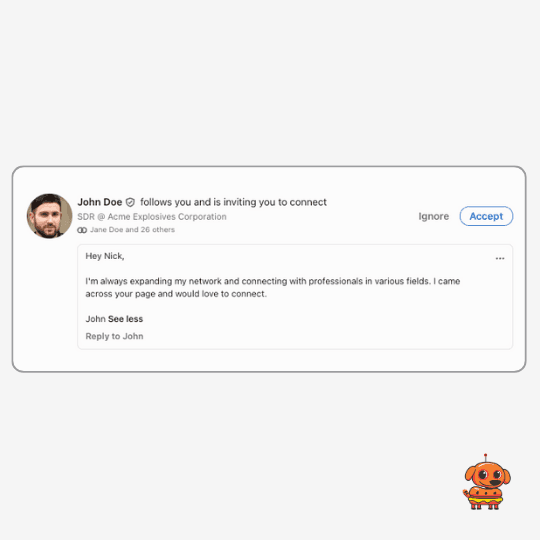
Don't: Follow up immediately with a sales pitch.
Another mistake to avoid is following up immediately after someone accepts your connection request with a sales pitch or request for a meeting. This approach can feel abrupt and pushy, and is likely to turn off potential leads.
- Do: Engage casually and build a relationship A better approach is to engage casually with your new connection and start building a relationship. Like and comment on their posts, share relevant content, and look for opportunities to provide value before making any kind of pitch.
Don't: Give your prospects more work.
When reaching out to potential leads, it's important not to create additional work or mental load for them. Avoid sending messages that require them to take multiple steps or make decisions right away.
- Do: Simplify their experience, and provide value upfront. Instead of asking them to schedule a call right away, share a free resource or piece of content that addresses a problem they might be facing. This approach shows that you're focused on helping them, not just making a sale.
Don't: Wait until your NEED to send invites
Many people make the mistake of waiting until they have a specific role or product to push before starting to send invites. This last-minute approach can come across as pushy and insincere.
- Do: Build your network consistently over time. The key is to start building your network consistently over time, even when you don't have an immediate need. This approach helps you establish genuine relationships and positions you as a valuable resource in your industry.
Don't: Send invitations to anyone and everyone.
- Do: Target people who are relevant to your industry or niche.
Don't: Use the same message for everyone.
- Do: Tailor your messages based on the recipient's profile, interests.
Don't: Send too many invitations at once.
- Do: Start slow and gradually ramp up your efforts over time.
Don't: Ignore LinkedIn's limits and best practices.
- Do: Familiarize yourself with LinkedIn's policies and use automation tools that prioritize safety and compliance, like Botdog. By the way, we have a separate article about LinkedIn's limits!
Don't: Have a profile that looks spammy.
Avoid headlines that include terms like "recruiter," "SDR," or "sales," as they may trigger an instant delete from recipients.
- Do: Create a professional, engaging profile with a clear headline, a friendly photo, and regular posts that provide value to your audience.
Don't: Expect instant results.
Building a strong network takes time and consistency.
- Do: Commit to a long-term strategy and focus on making small, incremental progress over time.
Don't: Approach LinkedIn through surges.
Sporadic, intense efforts followed by long periods of inactivity are less effective than consistent, regular engagement.
- Do: Dedicate a small amount of time each week to nurturing your LinkedIn presence. Even one hour per week over several years can yield significant results, especially when supplemented with automation tools like Botdog.
By following these best practices and avoiding common mistakes, you can leverage LinkedIn automation to grow your network and reach out to potential leads in a way that's professional, effective, and compliant with LinkedIn's policies. Remember, the key is to focus on providing value, building genuine relationships, and playing the long game. With consistency and the right approach, you can unlock the full potential of LinkedIn as a powerful networking and lead generation tool.