July 22, 2026
Notification Settings Now Explain Every Alert Before You Turn It On
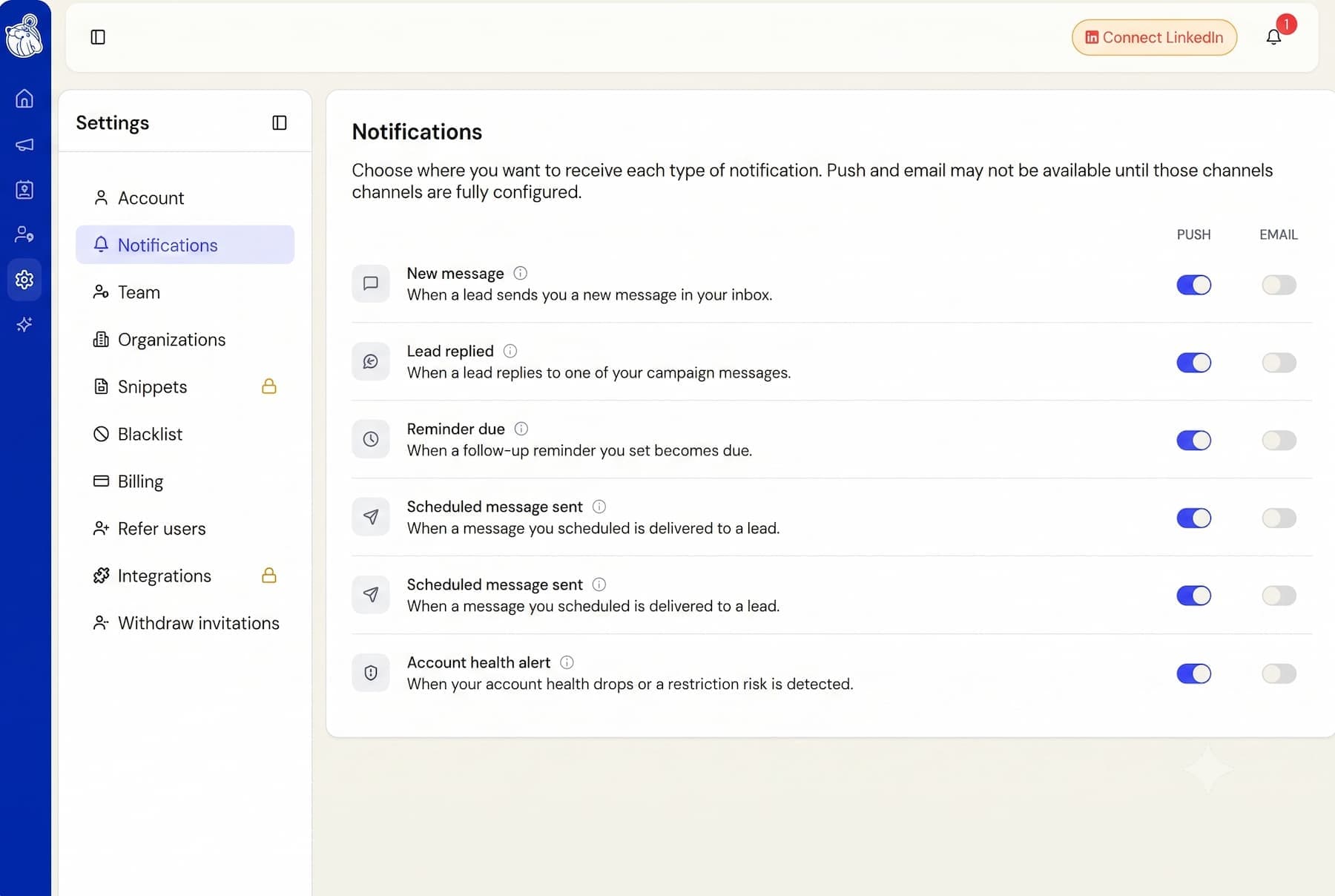
Choosing which Botdog notifications to receive just got easier.
We have redesigned Settings > Notifications so you can clearly understand what every alert is for before deciding whether you want to receive it by push notification, email, or both.
Here is what has changed:
- Every notification now includes a short description explaining exactly when it will be sent.
- You will see an info icon next to each notification. Open it to preview a real example, including the notification title and message.
- The Push and Email switches still work exactly as before. You now simply have more information to help you choose the alerts that are useful to you.
There is nothing you need to update. All your existing notification preferences remain exactly as they were.