Starred conversations now stay starred after you reload the inbox
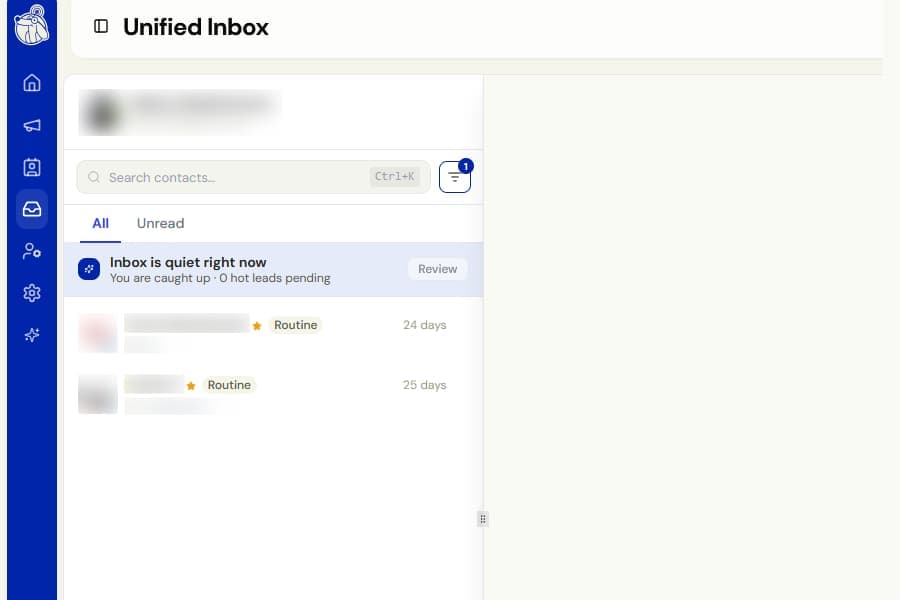
We fixed an issue where starring a conversation in the Unified Inbox only worked until you refreshed or left the page.
Previously, the star was stored only in your browser for that visit. After refreshing, opening a new tab, or signing in again, the star disappeared and the Starred filter could show no results.
What changed
Stars are now saved to your Botdog account.
This means they remain in place when you:
- Refresh the page
- Open Botdog in a new browser tab
- Sign in again
- Use another device
The Starred filter now shows every conversation you have starred, not only the ones starred during your current visit.
In shared inboxes, the star is saved against the account that owns the conversation. Teammates who can view that conversation will see the same star.
Stars added before this fix were never saved, so they cannot be restored. Star those conversations one more time and they will remain saved from now on.