Use your own templates in campaigns - before publishing
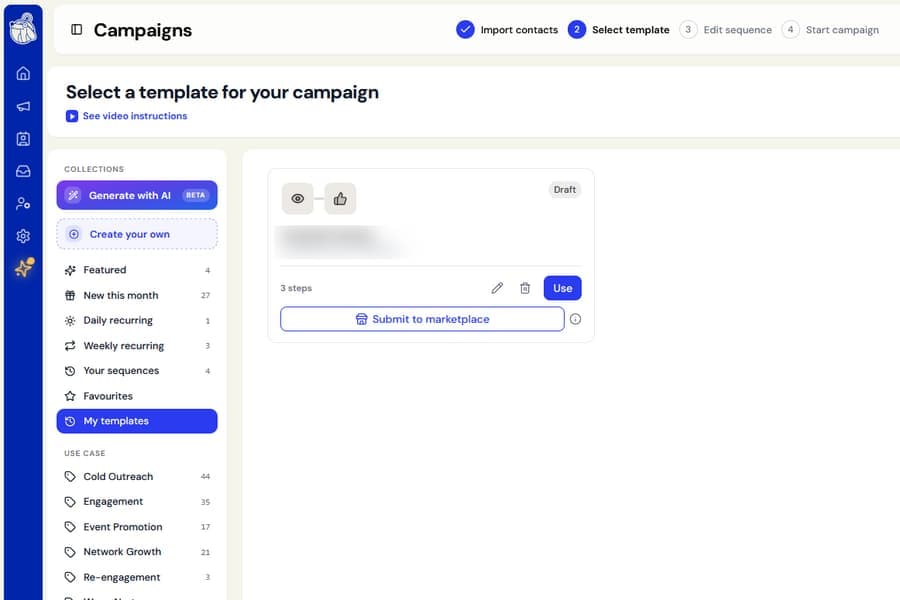
Templates you create now appear under My templates when choosing a template for a campaign, and you can use them right away.
Previously, you could edit your templates and submit them for publishing, but you could not add them to a campaign until they had been approved and published.
What changed
Every template under My templates now includes a Use button.
This lets you add your own sequence directly to a campaign, even when the template is:
- Still a draft
- Under review
- Not approved for the public gallery
The main template categories and search results now show only published templates. This keeps unfinished drafts from cluttering the public gallery.
Once your template is published, it will appear in the correct category for everyone to discover. It will also remain under My templates for you to manage and reuse.
Nothing changes if you only use the ready-made templates available in the gallery.