Webhooks: campaign-specific webhooks can be created again, and payloads carry the public LinkedIn URL
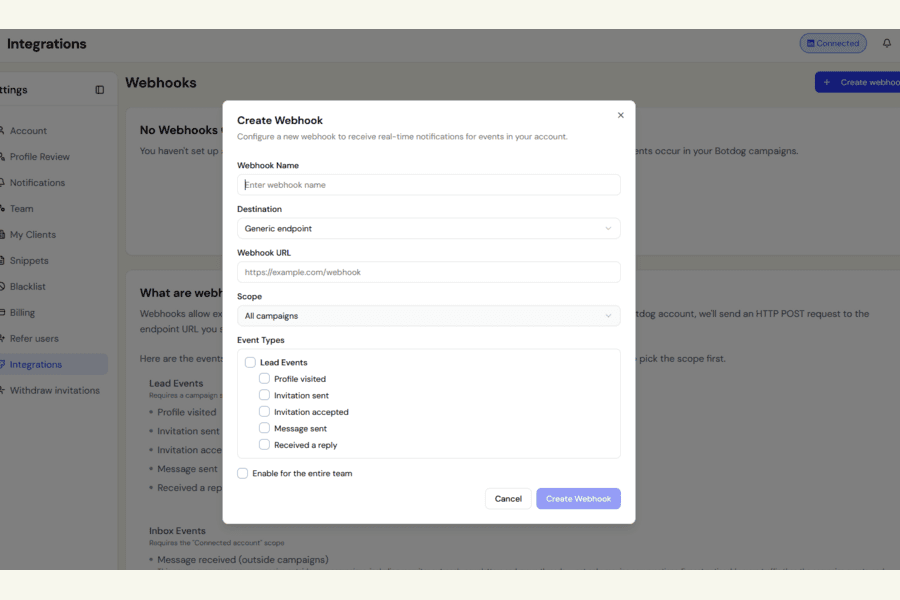
We fixed two issues reported by a customer connecting Botdog to their CRM, and clarified the webhook signature documentation.
Creating webhooks for specific campaigns now works correctly
Previously, choosing Select specific campaigns, selecting one or more campaigns, and clicking Create Webhook could leave the button disabled with nothing created.
The form was not correctly recognising the campaigns you selected.
That is now fixed.
We also corrected another edge case. If you first enabled Enable for the entire team and then changed the webhook to specific campaigns, the team-wide setting could remain active in the background.
Now, narrowing the webhook to specific campaigns automatically removes the team-wide setting.
LinkedIn profile URLs are now easier to match in your CRM
The contactLinkedinUrl field in these webhook events now sends the contact’s public LinkedIn profile URL:
- Invitation sent
- Profile visited
- Message sent
Previously, it could send LinkedIn’s internal member ID instead, which was much harder to match against your own CRM records.
If you imported the lead yourself, Botdog now sends the exact public profile slug you originally imported.
Clearer webhook signature documentation
We also updated the webhook documentation to make signature verification more precise.
The webhook signature is created using HMAC-SHA256 over:
{timestamp}.{rawBody}
The timestamp is the t= value from the X-Webhook-Signature header.
The dedicated signature verification page already described this correctly. The webhook overview has now been updated to match, so there is no ambiguity about what needs to be verified.