Webhooks: Messages You Send From LinkedIn
You can now send a webhook whenever you message a campaign lead directly on LinkedIn, instead of from Botdog.
Previously, your webhooks covered replies from leads, messages sent by campaigns, and messages you sent from the Botdog inbox. Messages you typed in the LinkedIn app or on the LinkedIn website were not passed to your connected tools, so they only saw one side of the conversation.
How to turn it on
Go to:
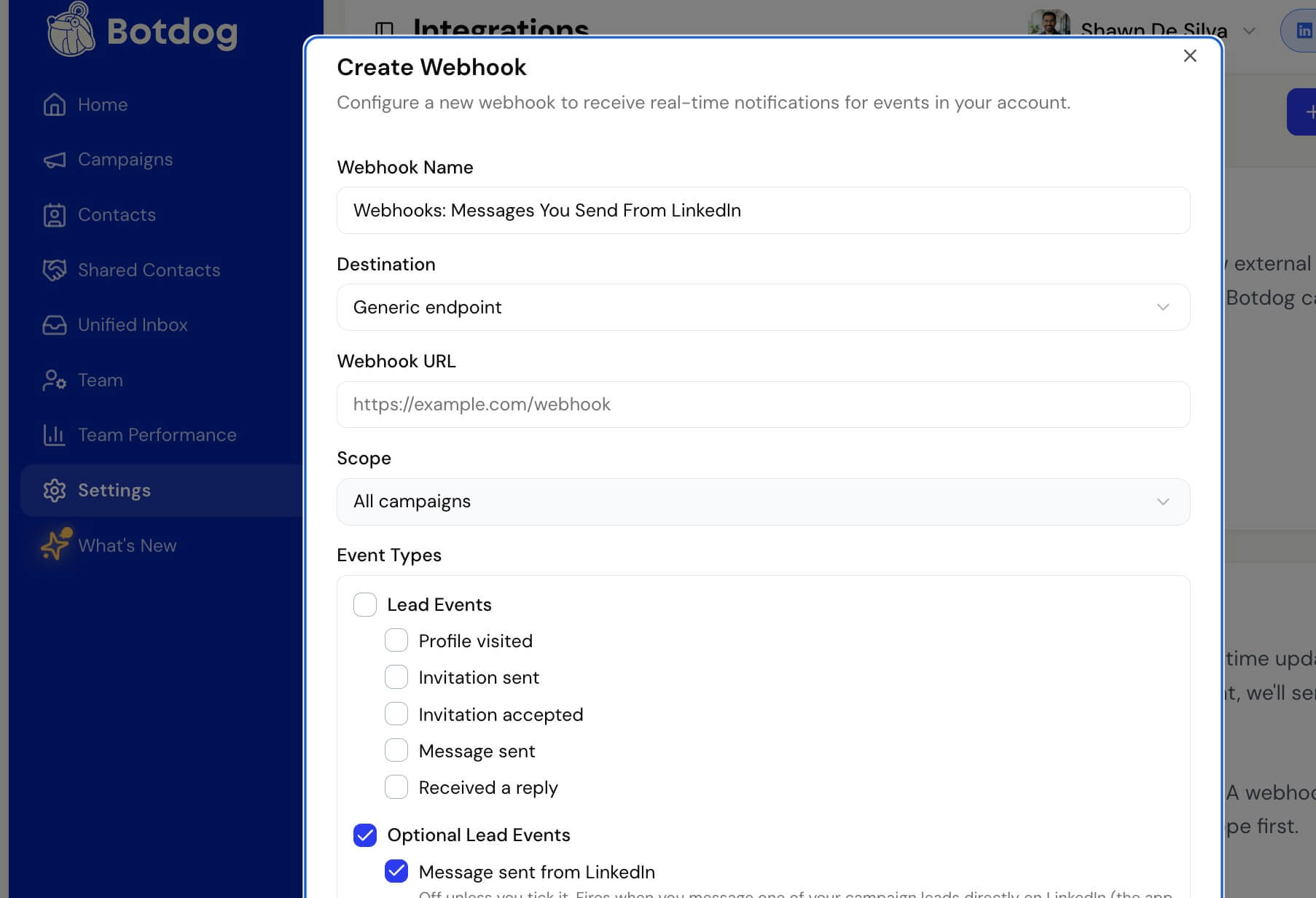
Settings > Integrations > Webhooks
Create or edit a webhook, then turn on Message sent (from LinkedIn).
The event is off by default. It sits in its own section, so selecting all Lead Events will not turn it on by accident.
What each event includes
Every event includes the message, the lead, the campaign, and the conversation, just like the Received a reply event.
It usually arrives within a minute of you sending the message.
What is not included
Messages Botdog sends for you will not trigger this event, so the same message will not be sent twice. This covers campaign messages, messages from the Botdog inbox, scheduled messages, and the note sent with an accepted invitation.
The event covers text messages in one-to-one conversations with people in your campaigns. Voice notes, attachments, group conversations, and people outside your campaigns are not included.