TL;DR
When looking for the best LinkedIn automation tools, the main challenge is finding a balance between features and account safety. Because platforms have strict rules, choosing a solution that respects daily limits and mimics natural behavior helps protect your profile. Ultimately, the right tool depends on your team size, budget, and whether you need multi-channel outreach or a straightforward LinkedIn setup.
In 2026, there are a LOT of LinkedIn automation tools on the market, but the sad truth is that many of them actually create more problems than they solve.
Our philosophy is that good automation should be boring in the best possible way. It should import leads, send invitation requests and messages, manage follow-ups, and stay within LinkedIn's limits so you don't have to worry about your account's safety.
If you spend more time fiddling with software rather than having meaningful conversations with prospects, the tool has missed the mark. In this guide, we'll break down the best LinkedIn automation tools in 2026 based on your outreach goals, team size, and budget.
How to spot a LinkedIn automation tool that's worth using
Safety should come first
Not all LinkedIn automation tools are built with safety in mind. And on a platform like LinkedIn, where every move is tied to your real identity, you can't afford risky experiments. LinkedIn's rules don't allow third-party automation, so the best tools take extra precautions to work within LinkedIn's limits. This includes:
- Automatically respecting daily send/view limits (and adjusting based on your usage)
- Cloud-based setups with dedicated IPs that avoid red flags
- Randomizing actions to mimic human behavior (no rapid-fire viewing or copy-paste spam)
If a tool doesn't prioritize these (or worse, markets itself as a growth "hack"), skip it. The short-term gain isn't worth the long-term suspension.
Outreach shouldn't feel robotic
Automation only works when it feels human. If your prospect can tell that your messaging is automated, chances are you've already lost them.
The best LinkedIn automation platforms let you send personalized messages that don't sound templated, allow smart follow-ups, and pause automated sequences the moment someone replies. They also space out actions with delays and logic that reflect natural conversation rhythms.
Workflows should be flexible
Different users have different flows. Some rely on Sales Navigator searches, others use lead lists from CSVs, and many just want to message profile viewers or post engagers. A good tool gives you options like:
- Support for uploading leads via CSV
- Native support for Sales Navigator, LinkedIn search URLs, and events/groups
- Ability to segment leads, assign tags, and sort conversations
- A simple inbox or dashboard to manage replies (because jumping between tabs is a pain)
The less manual wrangling you have to do, the more meaningful outreach you can actually focus on.
Pricing should be transparent
Some LinkedIn automation tools play games with pricing. They'll bait you with "starting from $X/month," only to upsell you on basic features like an inbox or team seats. Some may not even show prices at all, which usually means "more than you want to pay."
Look for:
- Clear plan breakdowns (with no feature paywalls hiding behind vague tiers)
- Monthly and annual options (you may not want to commit upfront)
- Free trials to test before you commit
Avoid tools that only offer demos or force you into a call just to see pricing - that's a time tax you don't need.
Integrations should be powerful
If your LinkedIn prospecting is part of a bigger funnel - say, LinkedIn → call → CRM - then integrations matter. If native integrations aren't offered, does the tool support webhooks or at least connect via Zapier? If not, you'll have to invest in extra tools to plug the gaps.
Automation should be easy
If a tool takes an hour just to figure out how to connect your LinkedIn account, it's already failed. Most sales pros, founders, and recruiters don't have time for steep learning curves.
A good automation platform should get you up and running in minutes. It should also maintain sensible defaults for campaigns, timing, and safety settings.
7 Best LinkedIn Automation Tools In 2026
1. Botdog
G2 Rating: 4.9/5 ⭐ from 56 reviews
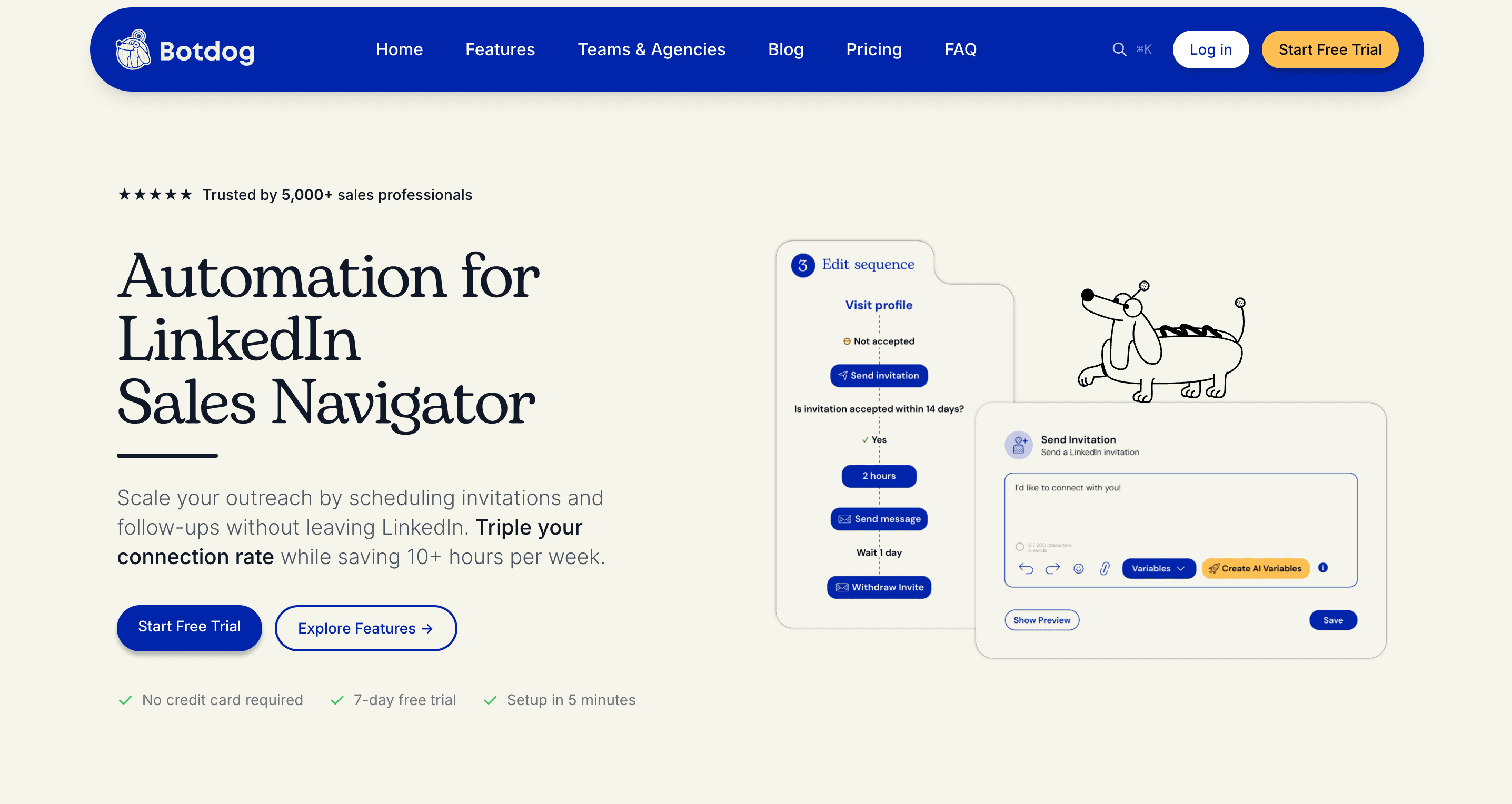
Botdog was built for salespeople by salespeople after years of frustration and endless trial-and-error with other LinkedIn automation tools.
We found that the vast majority of salespeople, founders, and recruiters wanted a clean, easy way to automate LinkedIn outreach but felt that most tools overcomplicate what should be straightforward.
That's why we stripped LinkedIn automation down to the essentials - you connect your LinkedIn account, import your prospects, set your message flow, and launch campaigns in minutes.
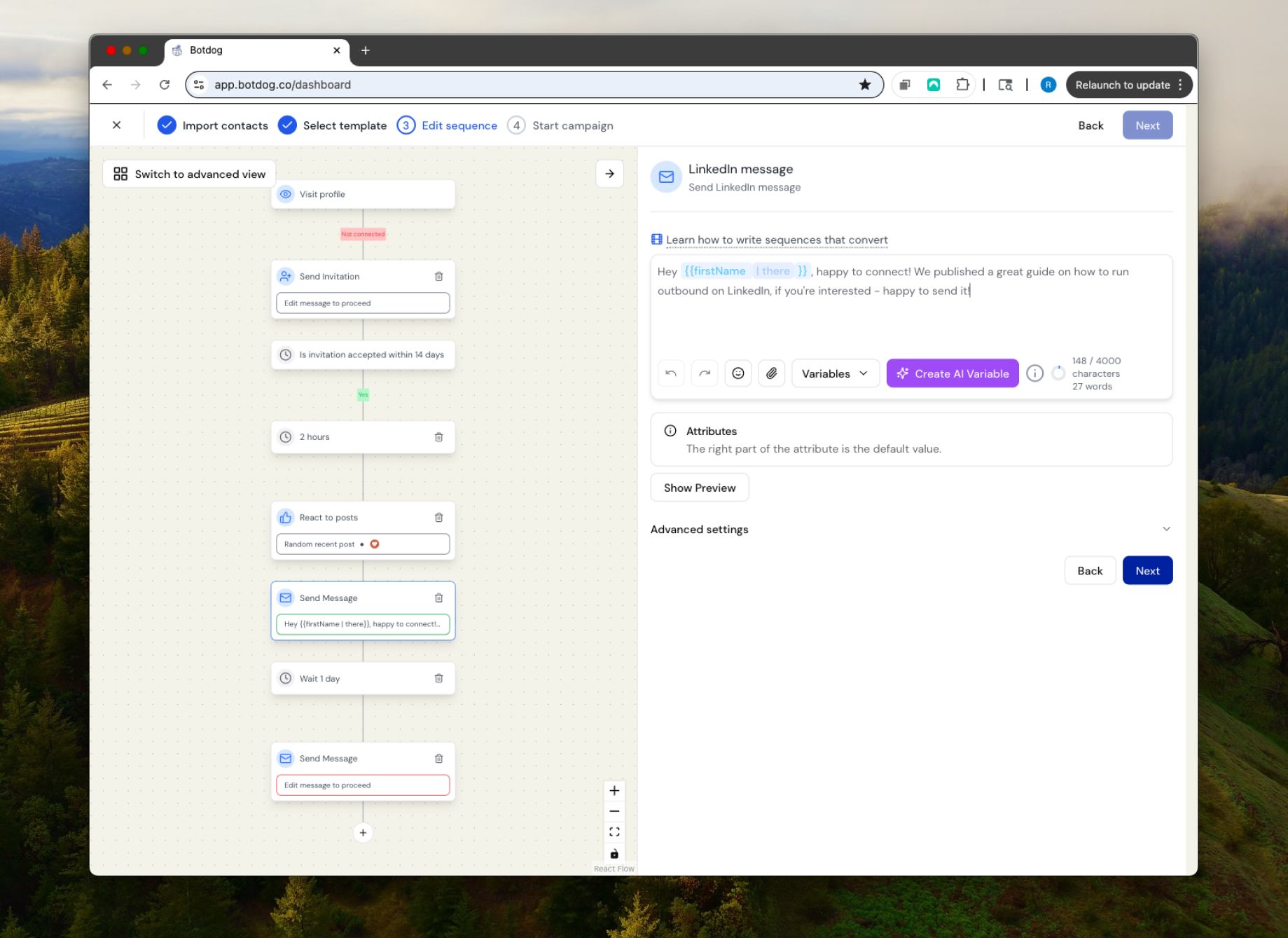
The entire platform runs in the cloud, which means better account safety and no browser extensions slowing down your computer. We also have advanced safety features that work automatically. Daily limits, natural timing between actions, and weekend pauses are all handled without you thinking about it.
Starting at $48/month annually (or $69/month) with unlimited campaigns and LinkedIn quotas, Botdog is refreshingly cost-effective. While Botdog can't offer incredibly complex multichannel workflows, what it does promise, it nails: you can scale your LinkedIn outreach safely, affordably, and without babysitting every campaign.
Botdog is best for:
Busy professionals, founders, marketers, and small teams who want a no-fuss, low-maintenance tool to send automated LinkedIn invitations and messages without getting flagged or overwhelmed.
Botdog's standout features:
- Cloud-based automation that mimics human behavior
- Automated follow-up messages with timing controls
- Safety-first design that respects LinkedIn's daily limits
- Real-time activity tracker (so you know what's working)
- Built-in AI lead review and message snippets (Professional + AI tier)
- Transparent pricing with no surprise charges or upsells
- Extremely quick setup (3 minutes from signup to first campaign)
- Active support team, responsive to feedback
- Team collaboration features included at all pricing tiers
- Unlimited campaigns and connection requests (within LinkedIn's limits)
Botdog's pricing:

Try Botdog's 7-day free trial today and see why over 1,000 teams across 73 countries trust Botdog for LinkedIn automation in 2026.
2. HeyReach
G2 Rating: 4.7/5 ⭐ from 65 reviews
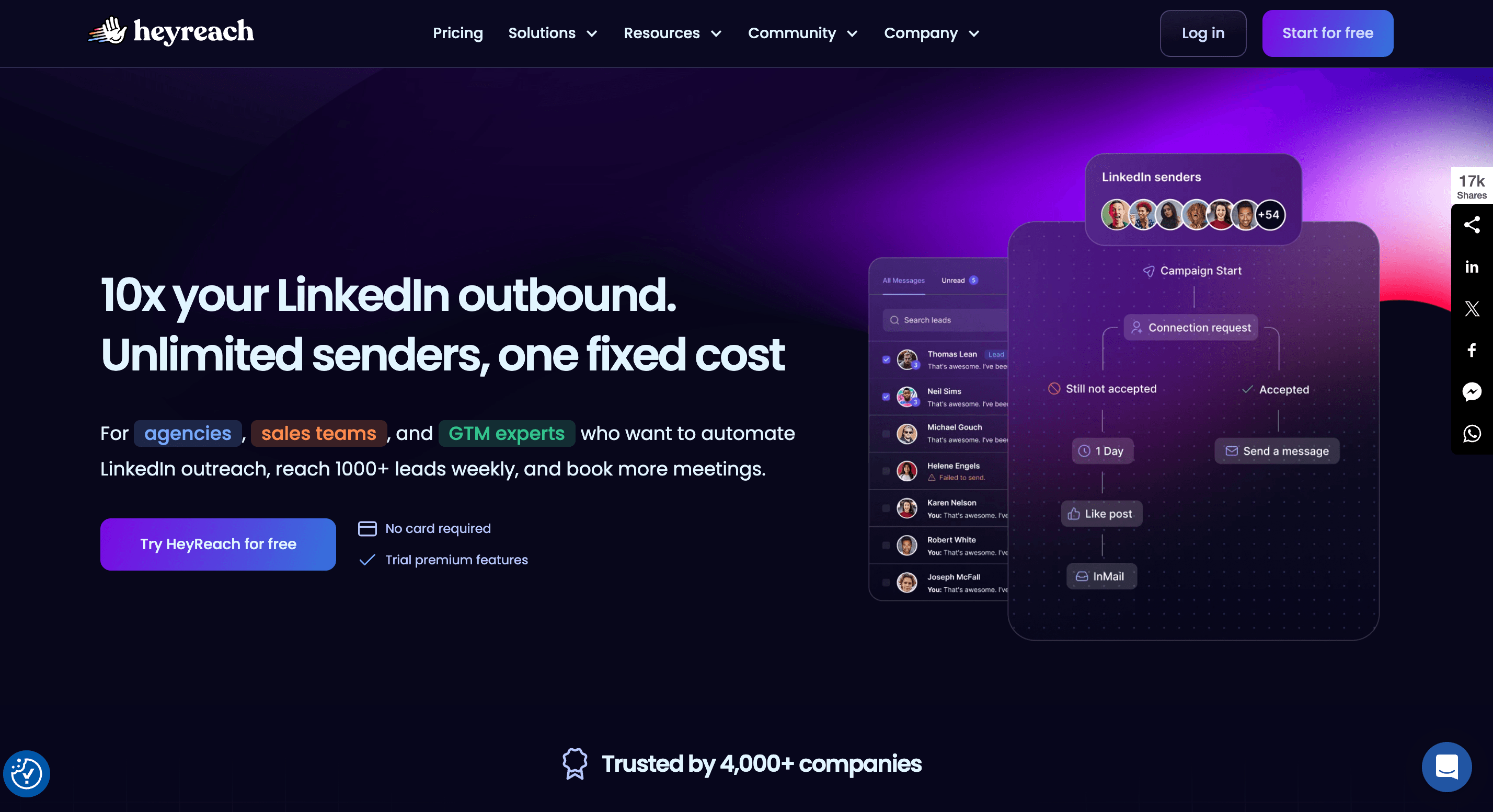
HeyReach is a cloud-based LinkedIn automation platform that specializes in multi-account campaign management. It allows users to connect multiple LinkedIn profiles and run coordinated outreach campaigns across all accounts simultaneously, with all responses flowing into a single unified inbox.
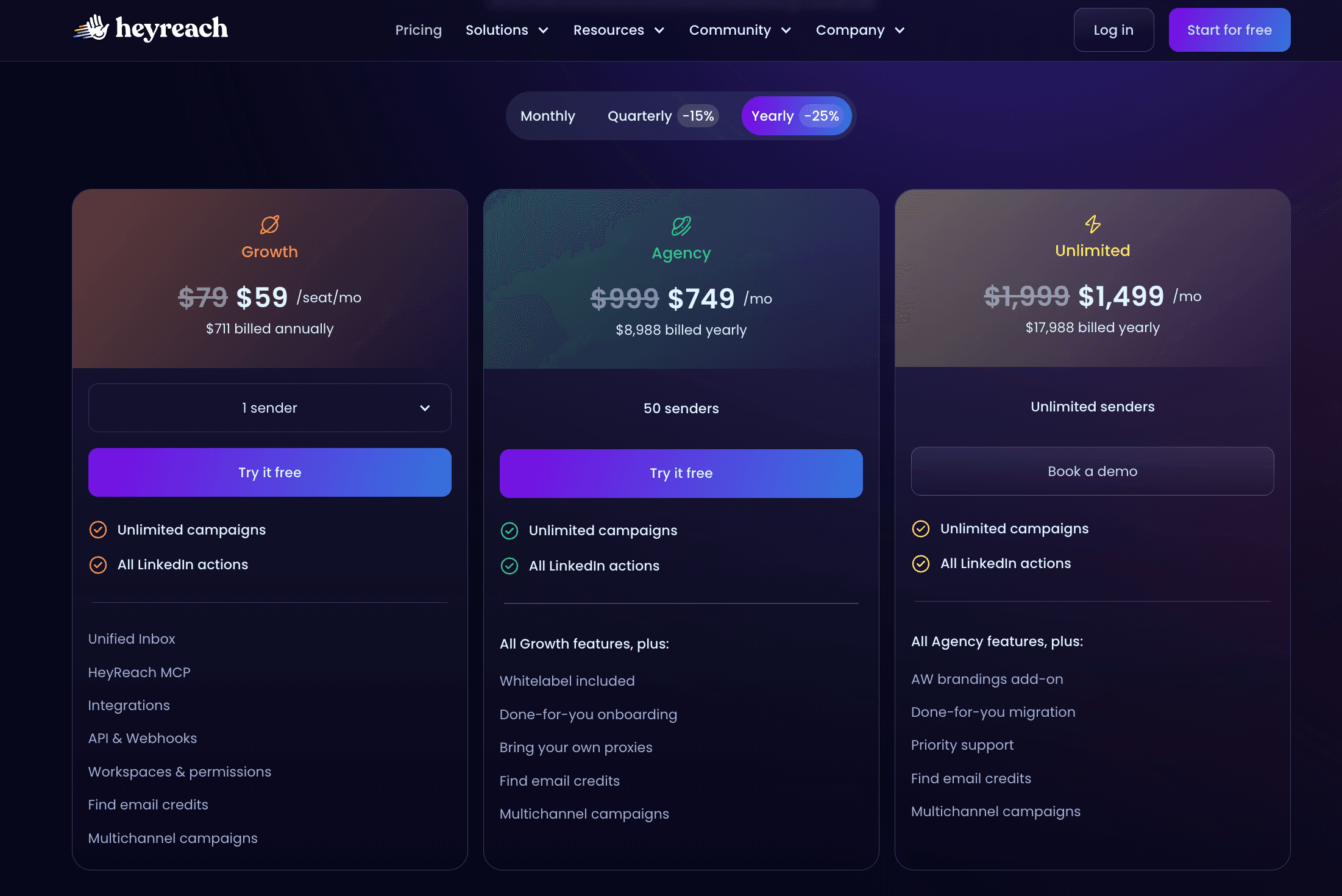
HeyReach was specifically designed for teams that need to manage LinkedIn outreach at scale. While they do offer individual plans, their homepage prominently features "unlimited senders, one fixed cost," which refers to their $1,999/month unlimited package. This positioning clearly indicates that they're targeting agencies and large sales teams with substantial budgets and multi-account management needs, rather than individual users or small teams.
How does HeyReach compare to Botdog? If you're managing 1-15 LinkedIn accounts, Botdog is significantly more cost-effective. The crossover point arrives at around 20 accounts on monthly pricing and 36 accounts on annual pricing. For enterprise-scale teams (50+ accounts), HeyReach's unlimited plan becomes incredibly cost-effective. If you're a large agency managing hundreds of LinkedIn accounts, this is a very lucrative price for all that's included.
HeyReach is best for:
Lead generation agencies, large sales teams, and enterprise companies running LinkedIn outreach across dozens or hundreds of accounts that need whitelabel branding and dedicated enterprise support.
HeyReach's standout features:
- Multiple LinkedIn senders per campaign
- Whitelabel branding for agency use
- Unified inbox across all connected accounts
- Extensive API and webhook integrations (20+)
- Agency-focused reporting and analytics
- Flat-rate pricing for unlimited accounts (on highest tier)
- Load distribution across sender accounts
- Campaign templates and bulk management
HeyReach's pricing
3. Dripify
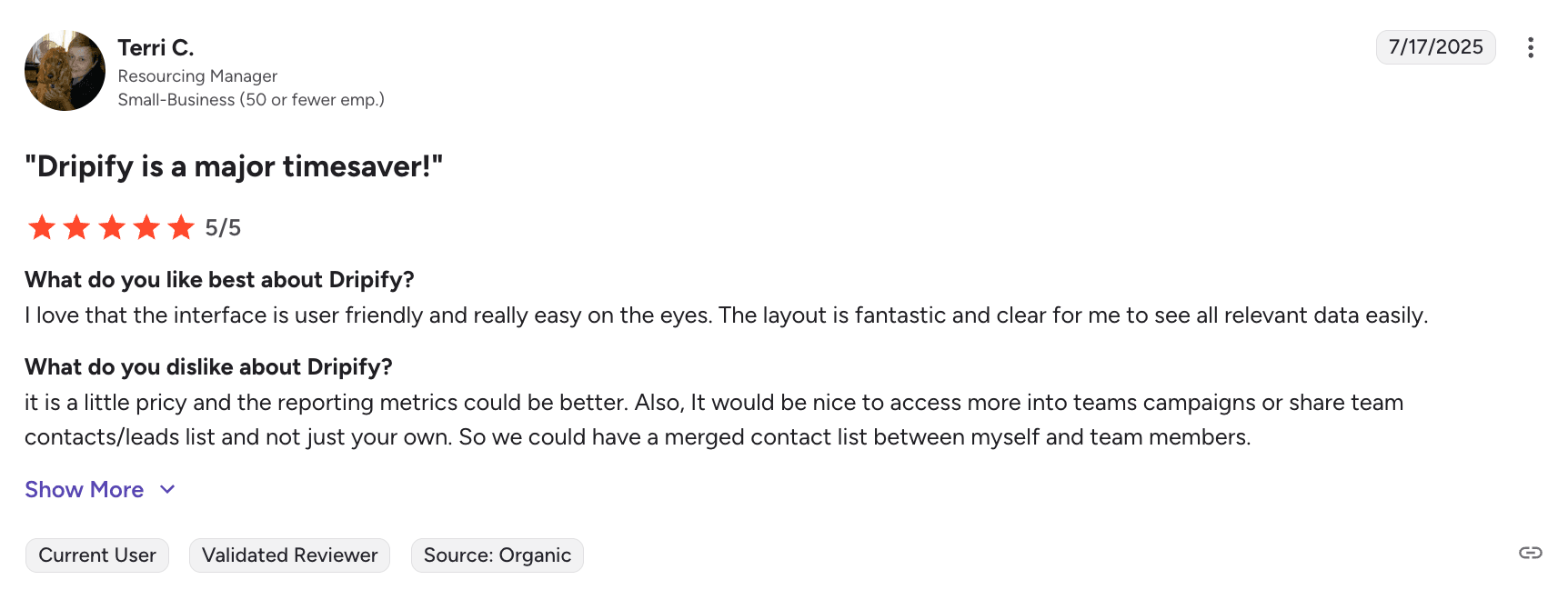
G2 Rating: 4.5/5 ⭐ from 322 reviews
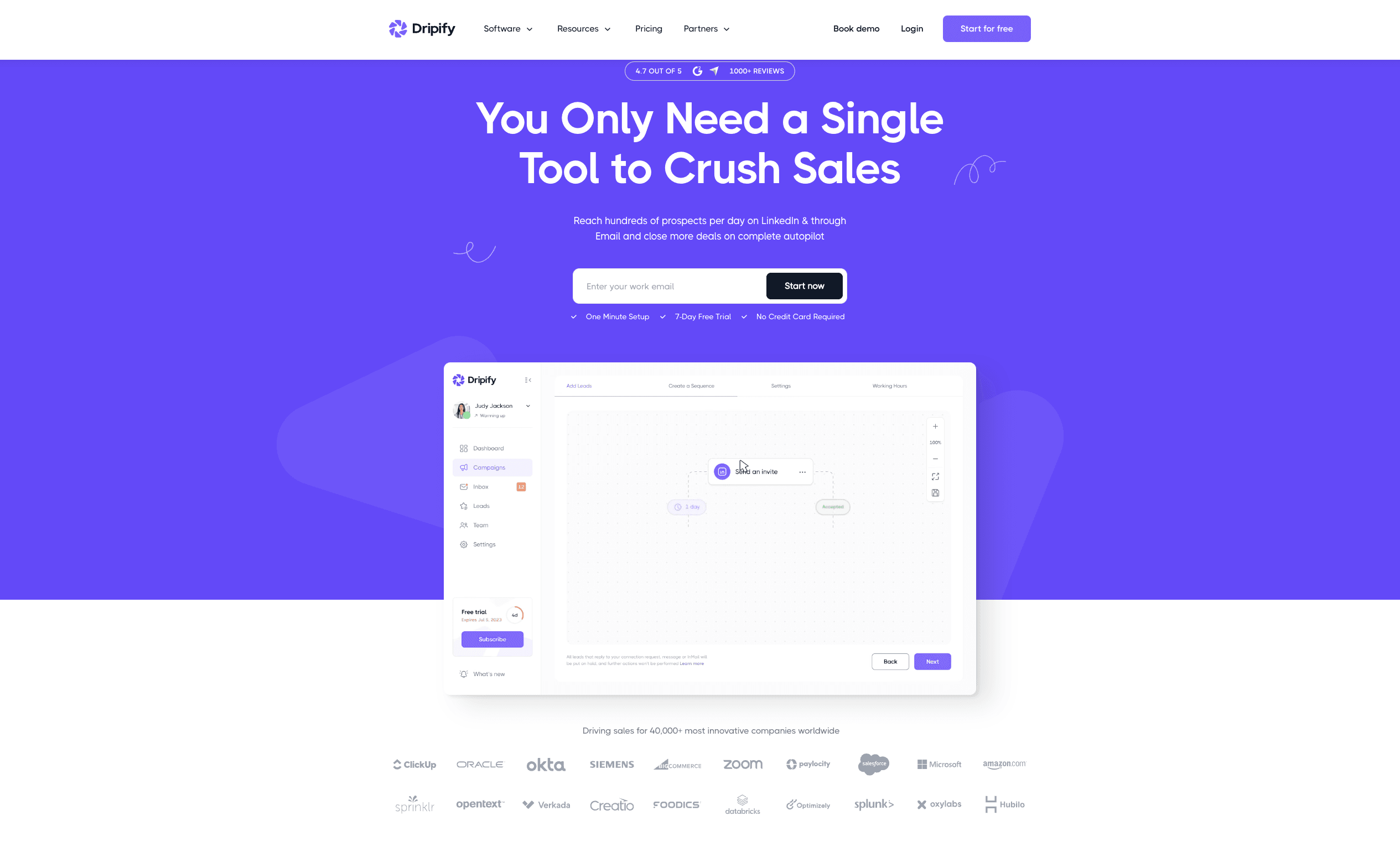
Dripify hits the sweet spot between outreach simplicity and sophistication. It's a cloud-based LinkedIn and email automation tool that lets you create sequences with custom delays, auto-views, message follow-ups, and conditional actions based on user behavior.
Dripify does deliver on its promise of being user-friendly without sacrificing capability. The safety features are well-implemented, and their customer support responds quickly. The visual campaign builder makes complex sequences manageable, and the analytics provide actionable insights.
Dripify's limitations show up in campaign customization. While their pre-made templates and sequences are solid, creating highly personalized campaigns requires more manual work than some competitors. The pricing also increases quickly as you add team members and advanced features.
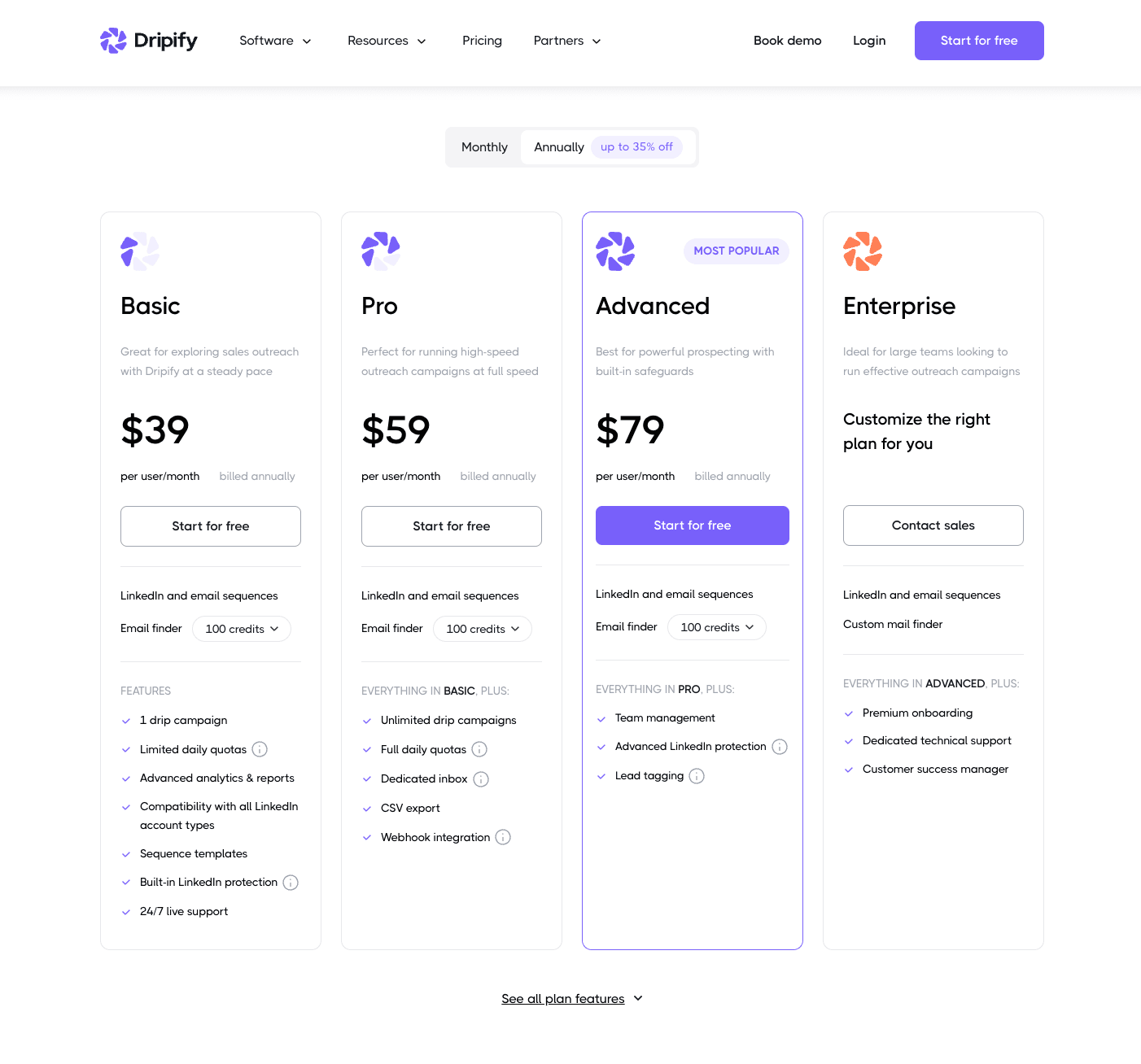
How does Dripify compare to Botdog? Dripify offers multi-channel capabilities (LinkedIn + email) starting at $59/month annually for the Pro plan, while Botdog focuses exclusively on LinkedIn at $48/month annually. If you need email sequences integrated with your LinkedIn outreach, Dripify provides that functionality. However, if LinkedIn is your primary channel, Botdog offers better value with unlimited campaigns from the base tier, whereas Dripify's Basic plan ($39/month annually) limits you to just one campaign with restricted daily quotas.
Dripify is best for:
Sales teams, recruiters, and small agencies looking for multi-channel outreach (LinkedIn + email), without investing in a steep learning curve or expensive tool stack.
Dripify's standout features:
- Drag-and-drop campaign builder with message delays and follow-ups
- Multi-channel sequences (LinkedIn + email)
- Dashboard to manage leads, responses, and funnel stages
- Team collaboration features (role management, analytics)
- Supports custom personalization variables in messages
- Safety-focused design with random activity timing
- Compatible with LinkedIn Basic, Premium, and Sales Navigator
Dripify's pricing:
4. Expandi
G2 Rating: 4.2/5 ⭐ from 121 reviews
Expandi is a multichannel outbound automation platform that combines LinkedIn outreach, email sequences, and advanced workflow automation. Launched in 2019, Expandi has built a reputation among agencies and enterprise sales teams as a power tool for sophisticated campaigns.
The platform targets users who need more than just LinkedIn automation. Expandi combines LinkedIn and email into unified campaigns, allowing for complex cross-channel sequences. The tool offers advanced personalization capabilities, including image, GIF, and video elements, though these require additional subscriptions to tools like Hyperise ($69/month) and Sendspark ($49/month). Expandi's complex workflow builder enables sophisticated branching logic and conditional sequences that can adapt to prospect behavior across multiple touchpoints.
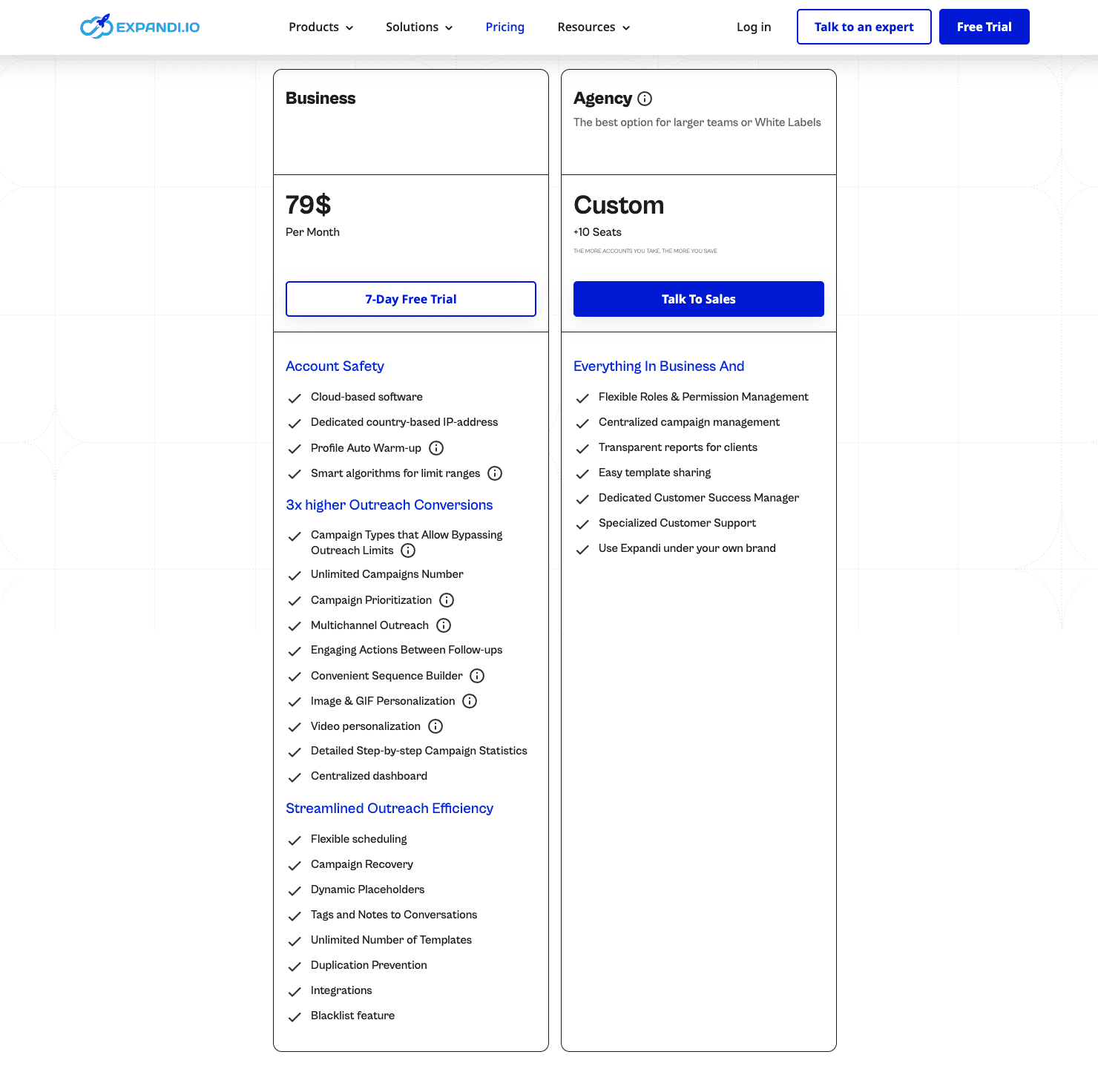
How does Expandi compare to Botdog? Expandi's Business plan at $79/month annually offers multi-channel automation (LinkedIn + Email), while Botdog at $48/month annually focuses exclusively on LinkedIn. For LinkedIn-only automation, Botdog is significantly more cost-effective. However, if you need multi-channel capabilities, then Expandi is the obvious choice. Keep in mind, though, that Expandi advertises "bypassing outreach limits" as one of their features, which is a big red flag on the safety front.
Also, if you need the visual personalization features that Expandi prominently markets, these require separate subscriptions ($69+/month for Hyperise, $49+/month for Sendspark), bringing your total cost to $197+/month - over 5x Botdog's price.
Expandi is best for:
Agencies and enterprise sales teams running sophisticated multi-channel campaigns that need advanced personalization across LinkedIn and email, and have the budget and patience to leverage complex workflows.
Expandi's standout features:
- Multichannel automation (LinkedIn + email in unified campaigns)
- Advanced workflow builder with conditional logic
- Image, GIF, and video personalization (requires separate Hyperise/Sendspark subscriptions)
- Sophisticated branching sequences
- API integrations for tech stack connectivity
- Advanced analytics across channels
- Campaign templates for different use cases
Expandi's pricing:
5. Waalaxy
G2 Rating: 4.6/5 ⭐ from 536 reviews
Waalaxy started as a lightweight LinkedIn outreach tool but has grown into something closer to a full sales engagement platform. It now blends LinkedIn automation with email outreach and visual sequence building.
Their sequence builder lets you create campaigns that flow naturally between platforms. You can connect on LinkedIn, send a follow-up message, then switch to email for the next touchpoint. That said, the interface can overwhelm new users, and the learning curve, while manageable, could use some improvements.
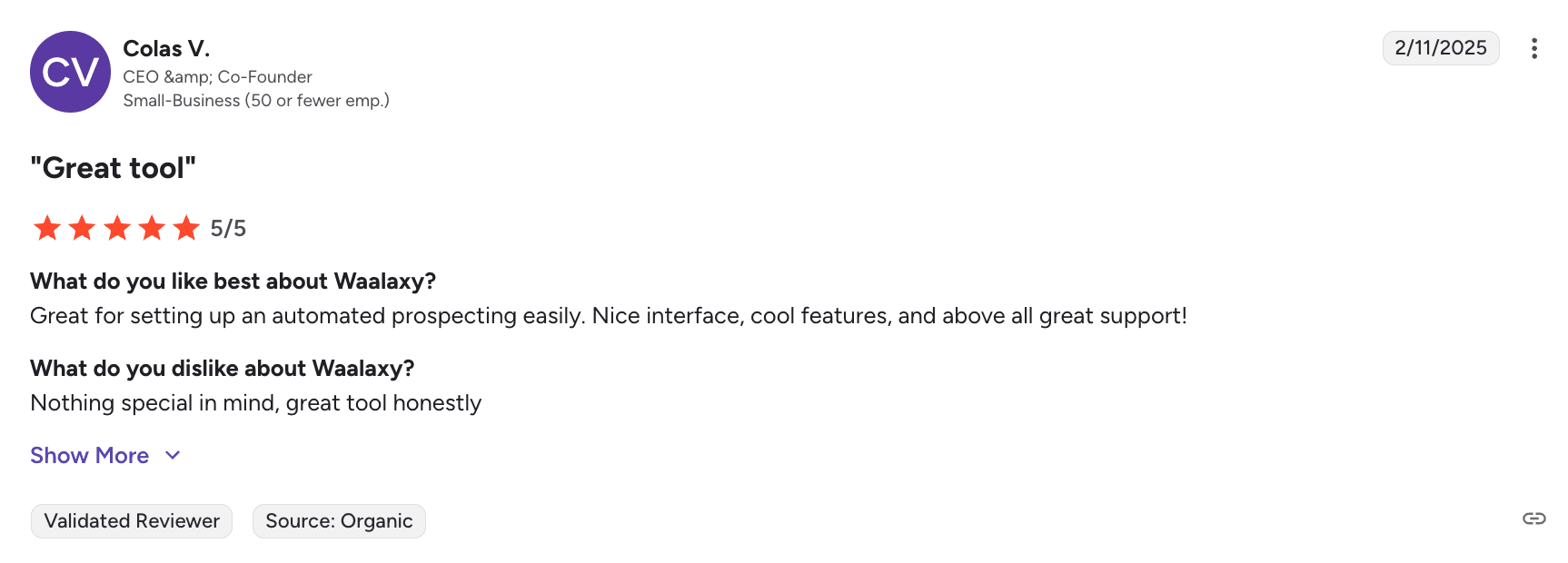
Waalaxy shines when you need both LinkedIn and email in your outreach strategy. It coordinates multi-channel campaigns better than most competitors, and the CRM features are genuinely useful rather than just marketing checkboxes.
The downside to Waalaxy is feature creep. What started as a focused LinkedIn tool now feels bloated with options you might never use. Plus, the pricing structure gets confusing quickly. Essential features like the unified inbox cost extra, which feels like paying twice for basic functionality.
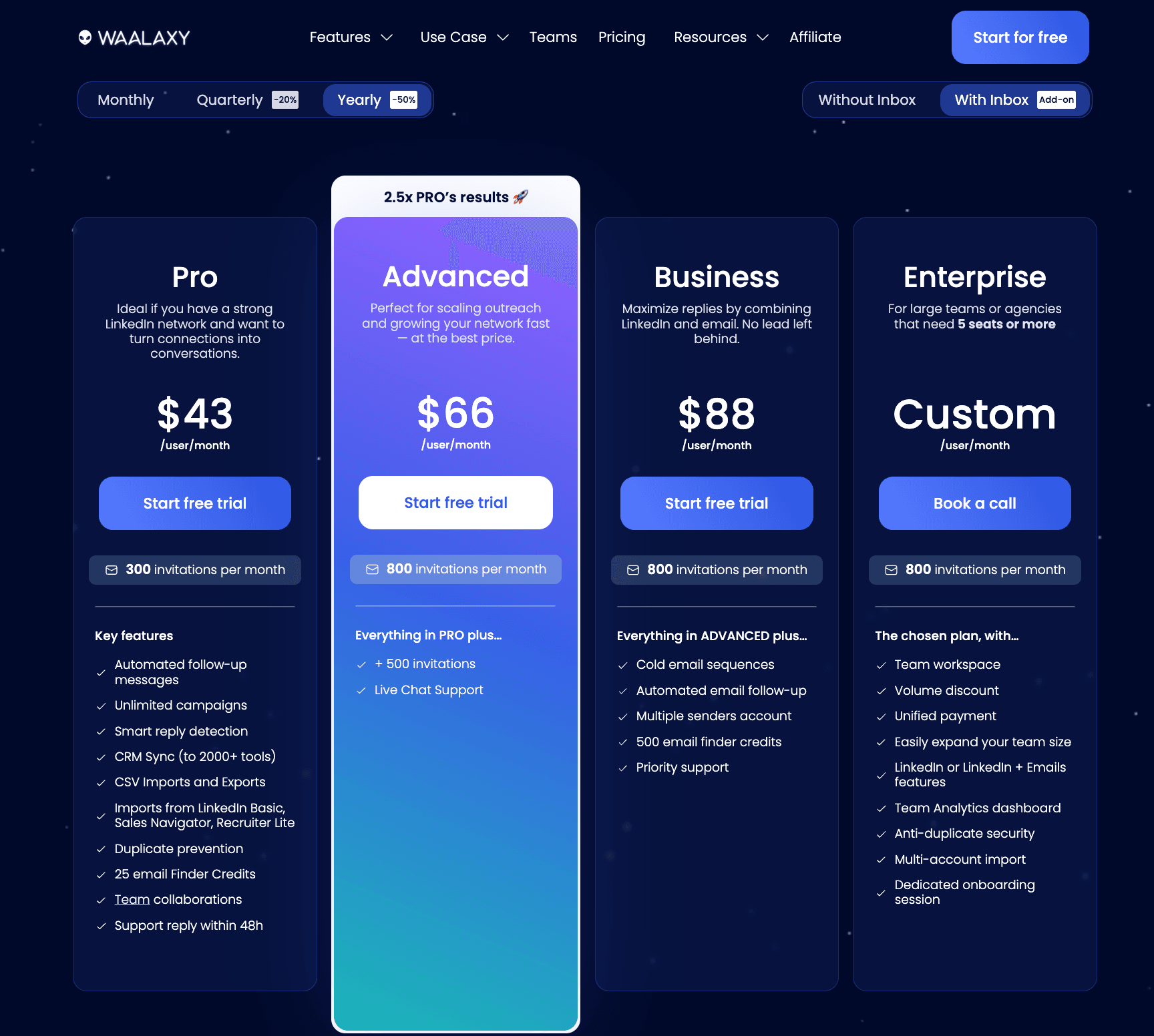
How does Waalaxy compare to Botdog? Waalaxy's Pro plan with inbox at $43/month annually includes LinkedIn-only automation but limits you to just 300 connection requests per month (which is well below LinkedIn's actual limits). To get unlimited requests, you need the Advanced tier at $66/month annually, which is 20% more expensive than Botdog's $55/month Professional plan (annual pricing). If you need email sequences, Waalaxy's Business tier at $88/month annually provides that functionality. However, for LinkedIn-only automation with unlimited requests, Botdog offers significantly better value with faster setup (3 minutes vs 15-30 minutes) and built-in safety features.
Waalaxy is best for:
Sales teams and marketers running LinkedIn prospecting and email outreach in tandem who want a mix of automation and lead management in one dashboard.
Waalaxy's standout features:
- Multi-channel campaigns (LinkedIn + email)
- Visual flowchart campaign builder
- Smart inbox and reply detection
- Team collaboration and lead assignment
- Email finder and verification
- Safety-focused sending limits and time delays
- Chrome extension for ease of use
- Built-in CRM-like features
Waalaxy's pricing:
6. Meet Alfred
G2 Rating: 3.4/5 ⭐ from 34 reviews
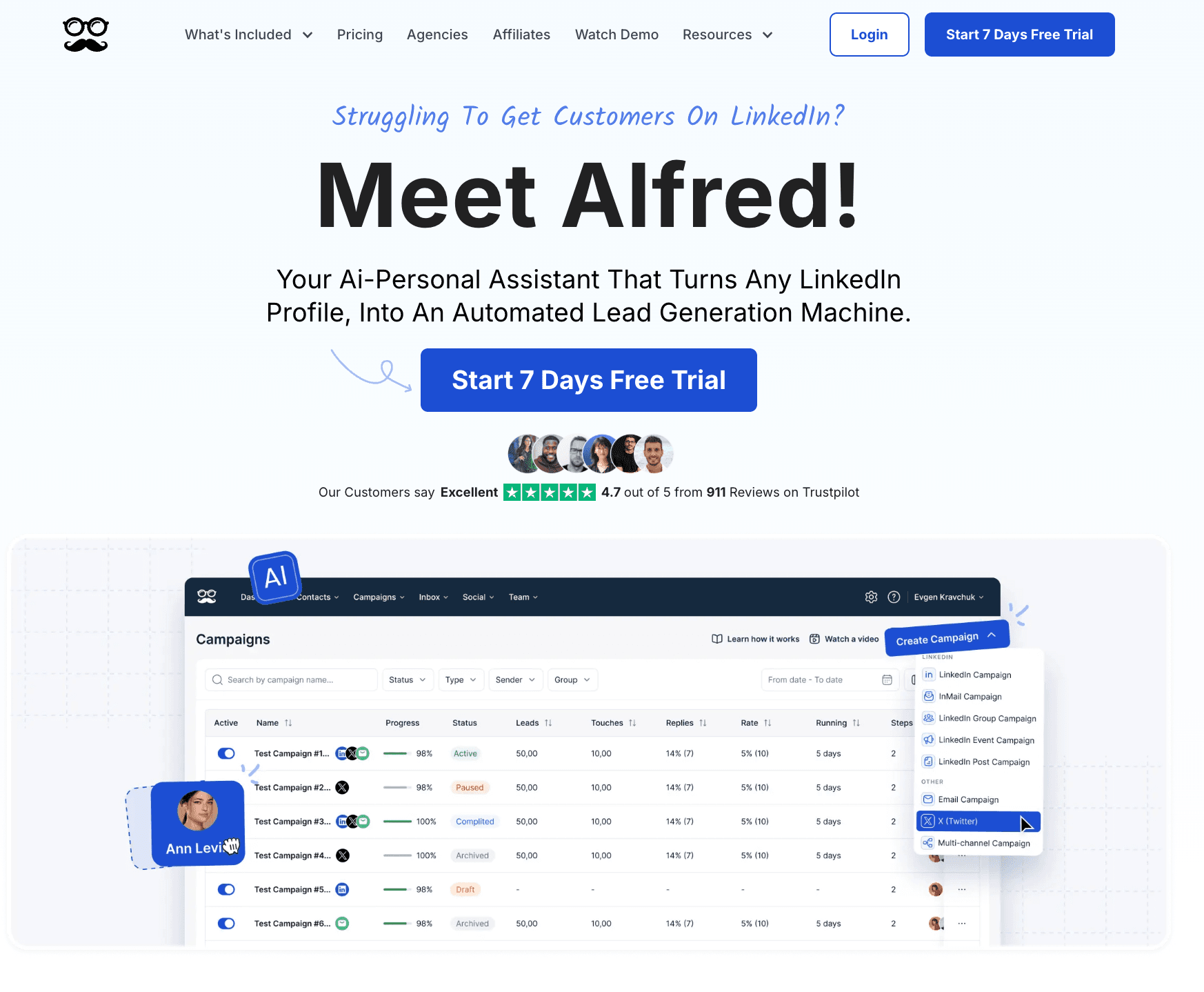
Meet Alfred positions itself as an all-in-one outreach tool that brings LinkedIn, email, and X (formerly Twitter) together under one campaign roof. It's a solid pick if you're juggling multiple touchpoints and want to manage them from one place.
Their LinkedIn automation covers the basics well, but the real appeal is being able to follow up a LinkedIn connection request with an email or engage with someone's X content as part of your outreach sequence.
The interface is friendly enough, the automation builder is clean, the built-in LinkedIn CRM is decent, and you don't need a technical background to get started.
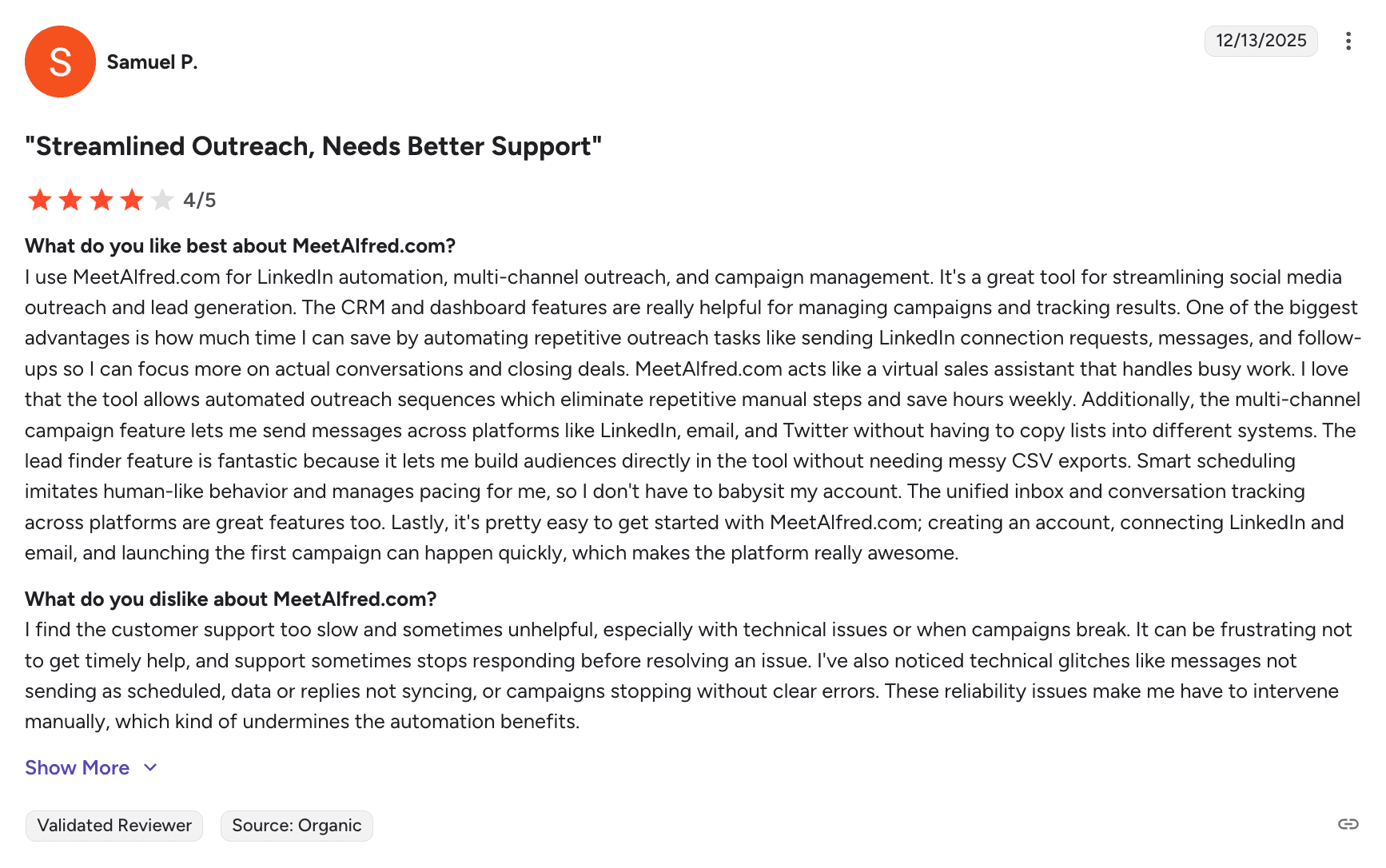
That said, some users have flagged the UI as occasionally buggy and lacking the power-user features of more advanced platforms. They also mention concerns like technical limitations, LinkedIn suspensions, and pricing issues.
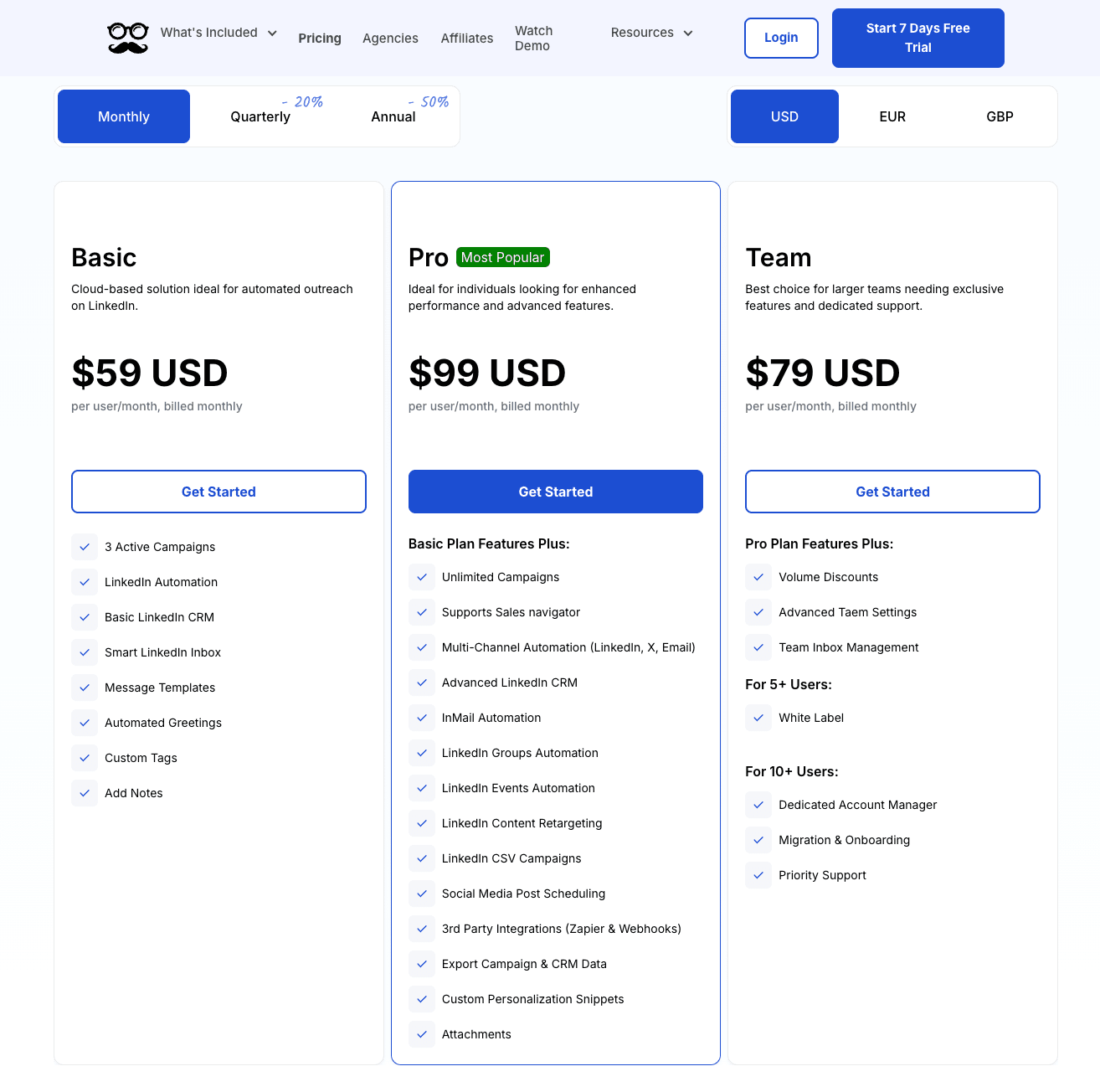
How does Meet Alfred compare to Botdog? Meet Alfred's Pro plan at $49/month annually offers multi-channel outreach (LinkedIn + Email + X), while Botdog at $48/month annually focuses exclusively on LinkedIn. If you need multi-channel capabilities, Meet Alfred provides that at a competitive price point. However, for LinkedIn-only automation, Botdog offers better value with unlimited campaigns from the base tier (Meet Alfred's Basic plan at $29.50/month annually limits you to just 3 campaigns), more comprehensive safety features, and significantly faster setup time (3 minutes vs 15-30 minutes).
Meet Alfred is best for:
Marketers, solopreneurs, small sales teams, and anyone wanting to test multi-channel outreach without committing to enterprise-level complexity or pricing.
Meet Alfred's standout features:
- Multi-channel sequences (LinkedIn + email + X)
- Visual campaign builder with easy triggers
- Built-in LinkedIn CRM and lead tracking
- Smart scheduling to mimic human behavior
- "AI-personal" LinkedIn assistant
- Campaign templates for different industries
Meet Alfred's pricing:
7. Phantombuster
G2 Rating: 4.4/5 ⭐ from 121 reviews
Phantombuster isn't your average LinkedIn automation tool, it's more like a full-blown automation lab that happens to also work with LinkedIn.
It offers dozens of prebuilt "Phantoms" and "Flows" that can scrape LinkedIn search results, auto-connect with leads, pull profile data, and send follow-ups across platforms like Instagram, Twitter, GitHub, Google Maps, and Sales Navigator.
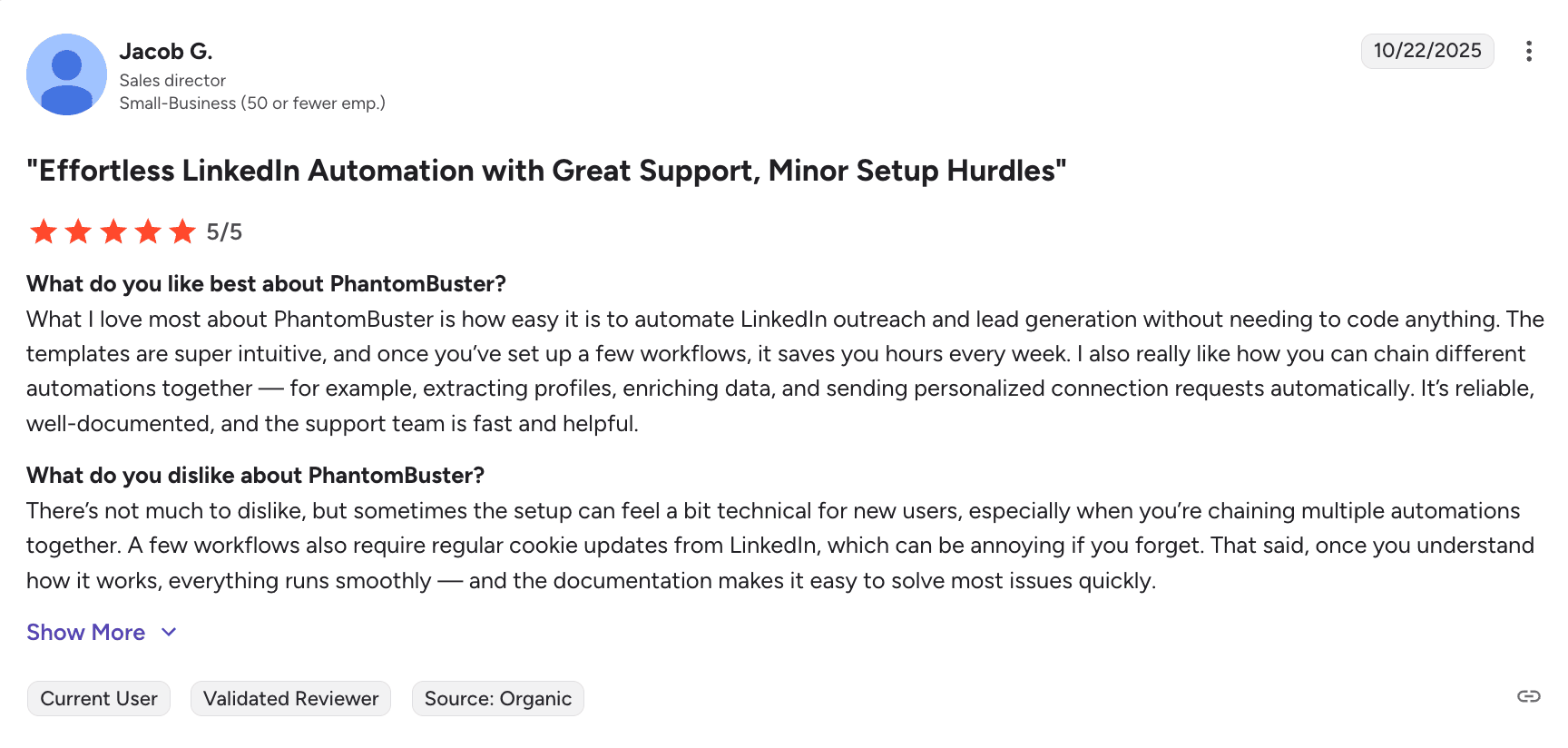
But with great power comes a pretty steep learning curve, so it's not plug-and-play. You'll need to understand how data flows work, manage LinkedIn safety settings yourself, and keep up with platform limits to avoid penalties.
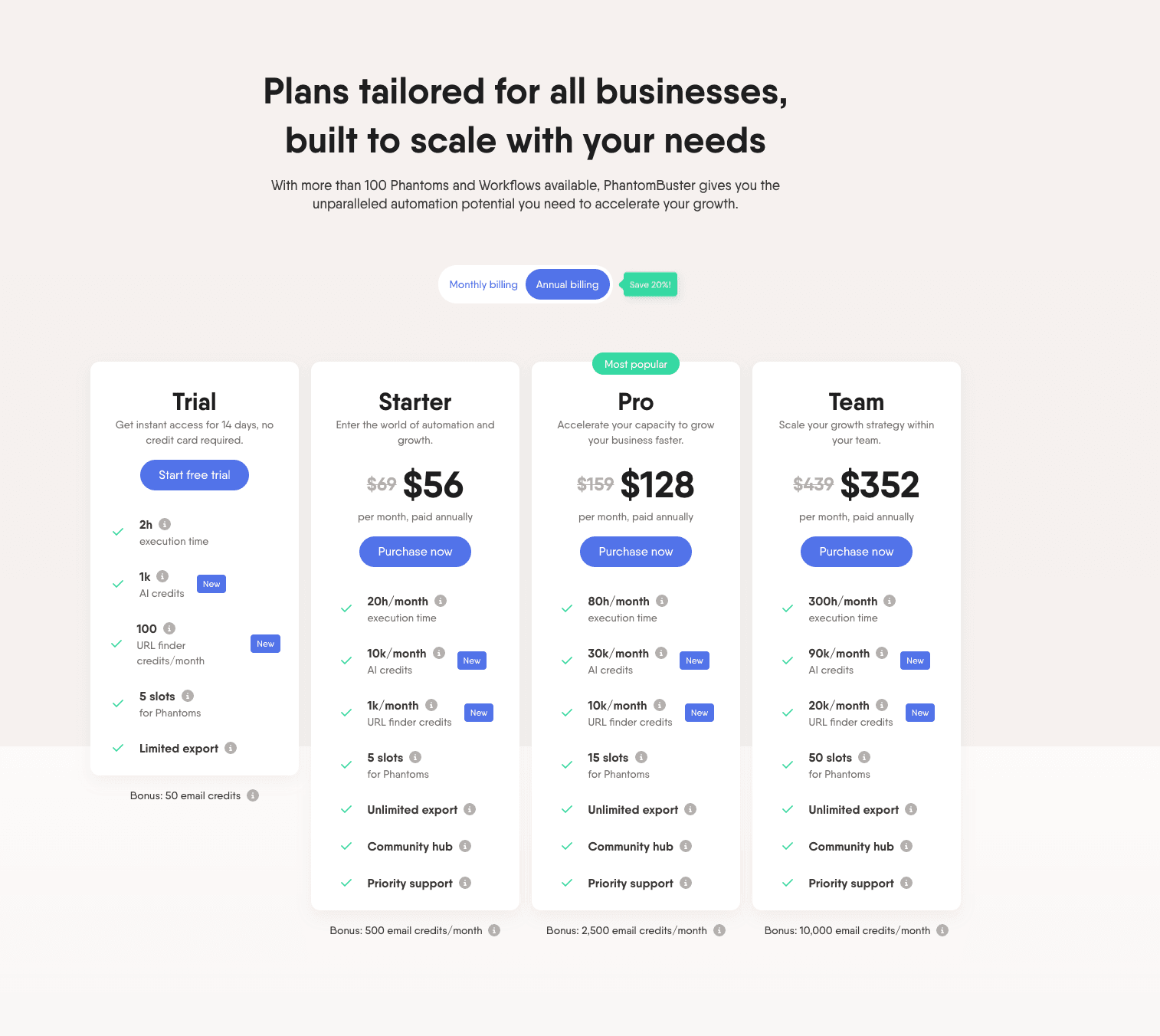
What's more, Phantombuster's pricing starts at $69/month and climbs quickly with usage based on execution time. Each plan gives you a certain number of hours per month that your automations can run, and once you hit that limit, your campaigns stop until the next billing cycle.
But if its complexity doesn't scare you off, Phantombuster is easily one of the most powerful outreach automation tools around - especially if you need to automate actions across multiple platforms beyond just LinkedIn.
How does Phantombuster compare to Botdog? Phantombuster is fundamentally different from Botdog. While Botdog focuses exclusively on LinkedIn outreach with simple, safe automation at $48/month annually (unlimited usage), Phantombuster is a multi-platform data extraction and automation platform starting at $55/month annually with execution time limits (20 hours/month on the Starter plan). Phantombuster requires technical knowledge to configure browser sessions, cookies, and scripts. If you need cross-platform automation and data scraping capabilities, Phantombuster provides that power. However, for straightforward LinkedIn outreach, Botdog offers a simpler, safer, and more cost-effective solution with no execution time limits or technical configuration required.
Phantombuster is best for:
Advanced users, growth hackers, sales engineers, and businesses that need serious data extraction capabilities and custom lead pipelines alongside multi-platform outreach automation.
Phantombuster's standout features:
- 100+ pre-built "Phantoms" and "Flows" across LinkedIn, Instagram, X, etc.
- Large-scale data scraping from LinkedIn profiles, search results, and posts
- Supports CSV uploads and API integrations
- Compatible with most CRMs and external tools
- Detailed activity logs and exportable results
- Multi-platform automation beyond just LinkedIn
Phantombuster's pricing:
The Best LinkedIn Automation Tools by Comparison
Why Botdog Is The Best LinkedIn Automation Tool In 2026
Speed to value: 3-minute setup vs 15-30 minutes with competitors
Cost-effectiveness: $48/month annually vs $43-$79/month for comparable features
Safety-first design: Hard-coded limits prevent account risks automatically
Unlimited usage: No campaign caps, message quotas, or execution time limits
Team-friendly: Full collaboration features at all pricing tiers
The multi-channel tools (Dripify, Expandi, Waalaxy, Meet Alfred) make sense if you specifically need email sequences integrated with LinkedIn. But most teams find that dedicated email tools like Instantly or Lemlist paired with Botdog for LinkedIn create a cleaner, more effective stack than trying to manage everything in one overcomplicated platform.
HeyReach excels for large agencies managing 50+ accounts, while Phantombuster serves technical users needing multi-platform data extraction. But for the 90% of users who simply want to grow their LinkedIn network and generate qualified leads without complexity, Botdog delivers exactly what's needed, nothing more, nothing less.
The Best LinkedIn Automation Tools: FAQs
Automation carries inherent risks because LinkedIn's terms of service prohibit third-party tools. However, tools that utilize cloud-based architectures, dedicated IPs, and built-in daily limits, like Botdog, can significantly reduce the risk of account restrictions.
The right choice depends on your specific workflow, whether you need multi-channel email sequences, or if you manage a large team of senders. Evaluating options based on your budget, team size, and integration needs ensures the best fit.
Tools that automatically respect daily send quotas and incorporate random time delays mimic natural human behavior, preventing rapid-fire messaging patterns that trigger platform suspensions.
Ready to stop wrestling with complicated automation tools and start generating real results on LinkedIn? Start your free 7-day trial of Botdog today and see why over 1,000 teams across 73 countries trust Botdog for LinkedIn lead generation in 2026.