If you're researching LinkedIn automation tools, you've probably stumbled across both Botdog and Dux-Soup. On the surface, they seem similar - both automate connection requests, follow-ups, and outreach campaigns. But dig deeper, and you'll realize that they take fundamentally different approaches to LinkedIn automation.
Dux-Soup is a veteran player that started as a Chrome extension back in 2015, evolving into a flexible automation suite with browser and cloud options. Botdog is a newer, cloud-native platform built specifically for teams who want LinkedIn automation that "just works" without complexity or risk.
The question isn't which tool has more features - it's which philosophy matches your needs: Dux-Soup's customizable, budget-friendly flexibility, or Botdog's safety-first simplicity?
Let's break down exactly how these tools compare across pricing, features, safety, and real-world use cases.
Botdog: cloud-native LinkedIn automation
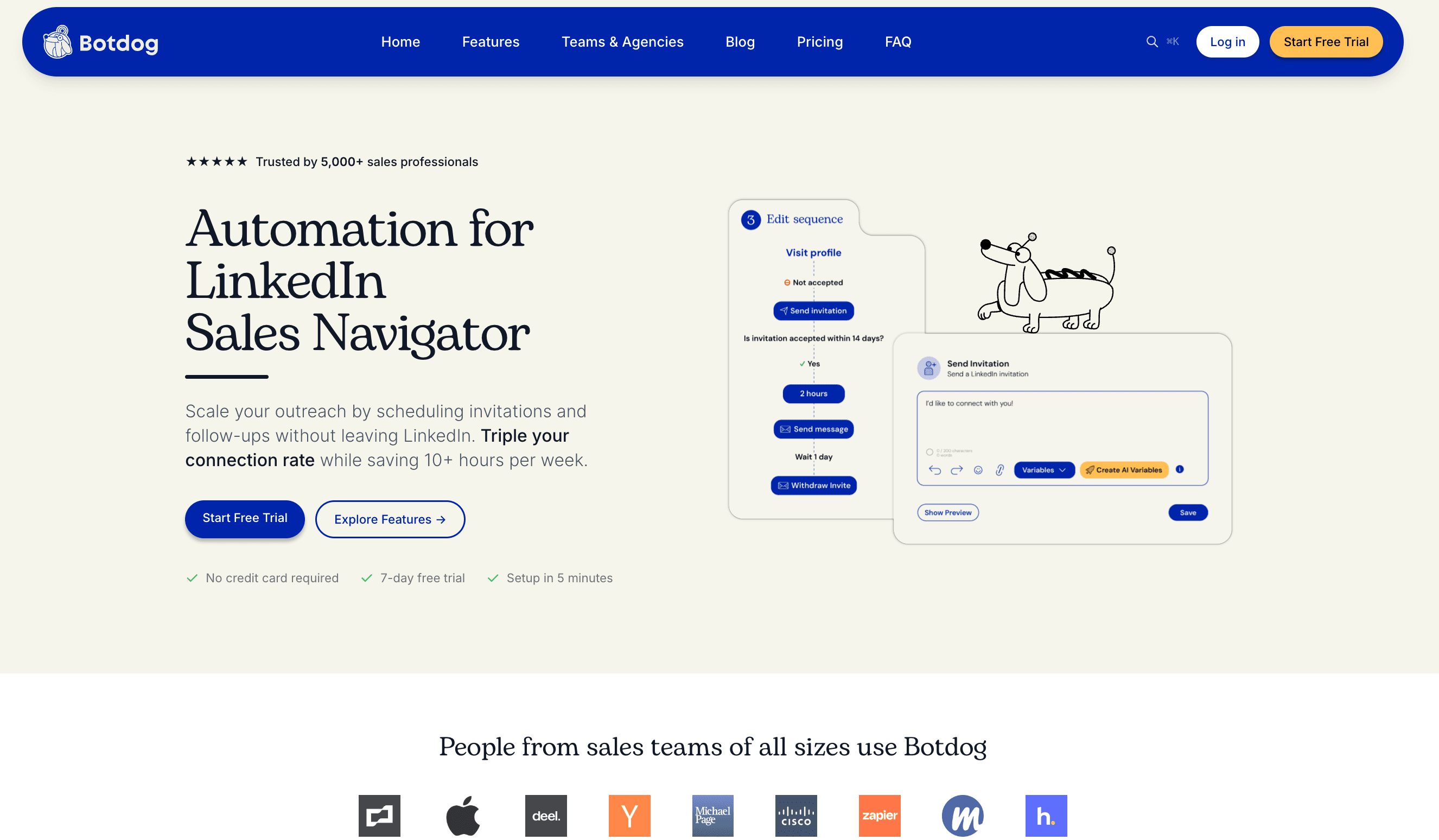
Botdog is a cloud-based platform designed around a core principle that LinkedIn automation should be simple, safe, and team-friendly. The entire philosophy centers on users being able to "import leads, write messages, and launch" in under three minutes.
Unlike tools that try to do everything, Botdog focuses exclusively on LinkedIn outreach. No email sequences, no social media posting, no CRM bloat - just LinkedIn prospecting done right. The platform runs campaigns 24/7 from Botdog's servers, meaning your computer never needs to stay on, and your LinkedIn account never needs to be logged in on a browser extension.
Safety isn't optional with Botdog - it's baked into every campaign with human-like delays, daily caps, and randomized patterns that cannot be disabled. For teams, Botdog offers shared inboxes, multi-account management, and collaboration features without password sharing.
Dux-Soup: browser or cloud-based LinkedIn automation
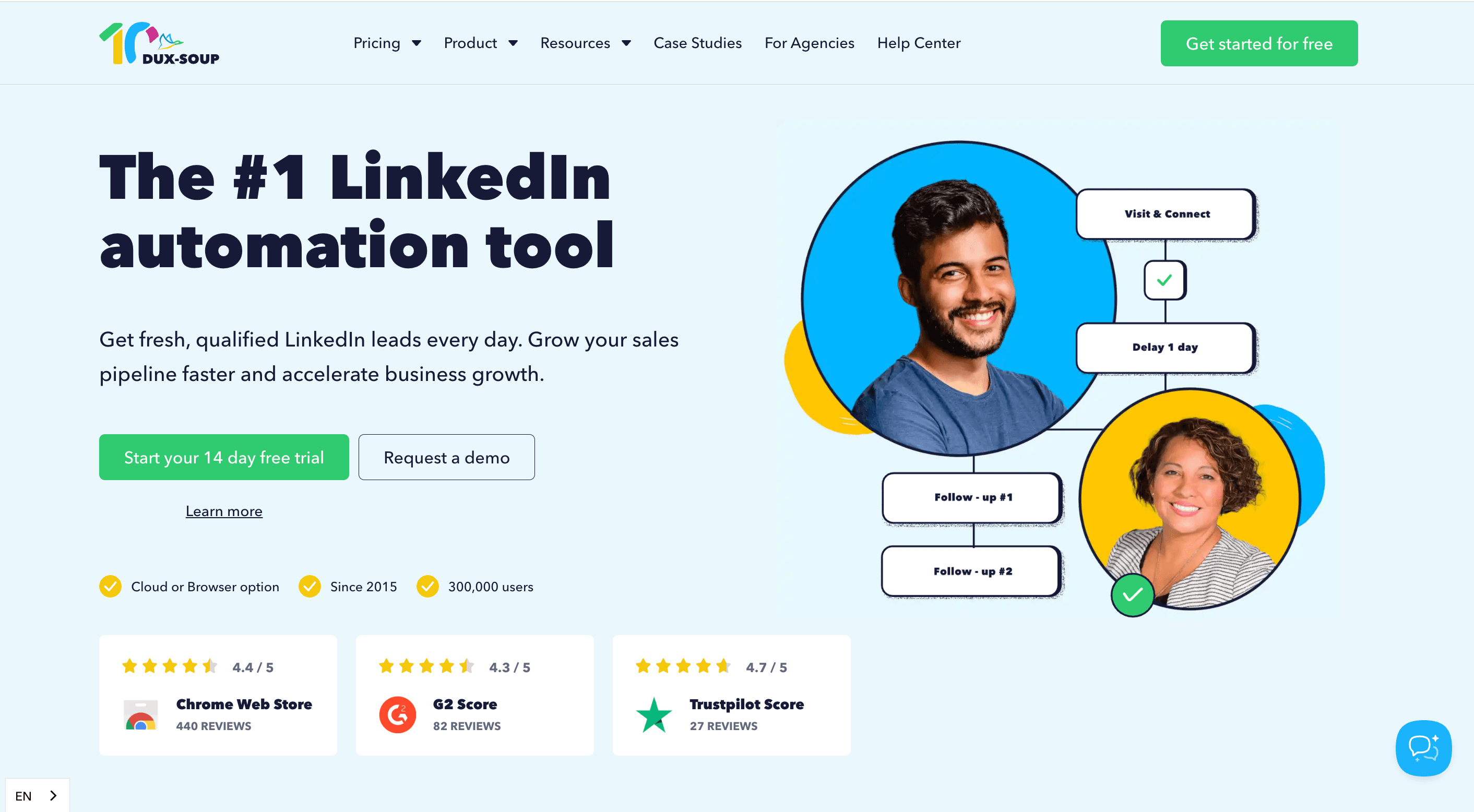
Dux-Soup launched in 2015 as a Chrome extension and has grown into a comprehensive LinkedIn automation suite with over 279,000 users worldwide. The platform now offers both browser-based automation (Pro and Turbo plans) and cloud-based automation (Cloud plan).
Dux-Soup's philosophy is customization and control. The campaign builder supports up to 12 different actions per sequence (visit profile, endorse, follow, send InMail, send connection request, send message, etc.) with drag-and-drop functionality and campaign cloning for faster setup.
The platform integrates with LinkedIn Sales Navigator, Salesforce, HubSpot, and other CRMs, making it attractive for users who need LinkedIn automation as part of a larger sales tech stack. Dux-Soup's tiered pricing structure allows users to start cheaply with basic browser automation and scale up to cloud-based enterprise features.
Feature-by-feature comparison
Botdog vs Dux-Soup: campaign builder
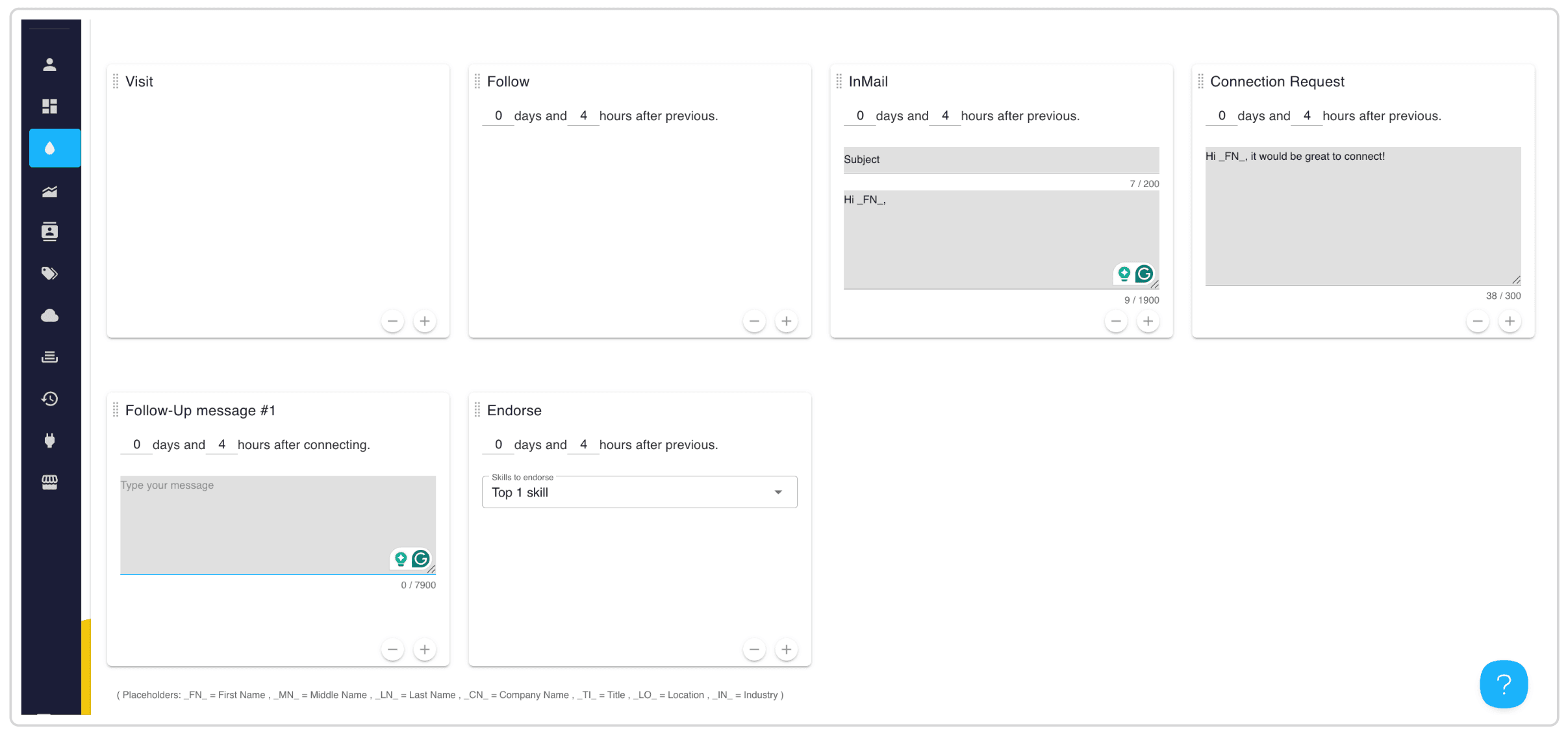
Dux-Soup: Both Dux-Soup Pro and Cloud offer the same sophisticated campaign builder with 12 different actions per sequence. Beyond basic connection requests and messages, you can automate visiting profiles, endorsing skills, following company pages, sending InMails, liking posts, commenting on posts, viewing connections, downloading profiles, tagging contacts, and adding notes.
The drag-and-drop interface makes sequence building visual once you understand the logic. Campaign cloning lets you duplicate successful workflows, and you can run unlimited concurrent campaigns with unlimited contacts enrolled. Auto-pause triggers when prospects respond, and timing controls let you specify delays between each action. Conditional logic allows branching based on prospect responses.
The learning curve is moderate to high. The 12-action builder provides immense flexibility, but setup typically requires 15-30 minutes per campaign as you configure timing, sequences, and conditions. For power users who need actions beyond basic outreach, this flexibility is valuable. For teams just wanting to send connection requests and follow-up messages, Dux-Soup’s complexity isn’t necessary.
Botdog strips the campaign builder down to core LinkedIn outreach. You get multi-step sequences for connection requests plus follow-up messages, InMail support for prospects who don't accept connections, and personalization variables for first name, company, job title, and custom fields from CSVs. Unlimited campaigns and contacts come standard on all plans, sequences auto-pause on response, and the template library provides starting points for quick campaign creation. Botdog’s learning curve is very low. Campaigns go from prospect import to launch in approximately three minutes.

Botdog vs Dux-Soup: personalization and AI capabilities
Dux-Soup: Both Dux-Soup Pro and Cloud use static personalization markers. Insert placeholders like FN for first name, LN for last name, COMPANY for company name, IN for industry, TITLE for job title, LOCATION for location, and custom fields for any data you've imported. These markers work in connection requests, InMails, and messages.
The system is proven and reliable when prospect data is complete. If someone's LinkedIn profile lists their company and title, those fields populate accurately. The limitation is purely rule-based personalization with no intelligence layer. There's no AI generation, no smart filtering based on prospect quality, no adaptive messaging based on context.
An example message might read: "Hi FN, I noticed you work at COMPANY as a TITLE..." This approach works but requires manual effort to write quality templates and maintain accurate data.
Botdog: Botdog Starter and Professional use the same marker-based personalization as Dux-Soup. First name, company, job title, and custom CSV fields populate automatically in your message templates. The reliability is identical to Dux-Soup's approach.
Where Botdog differentiates is the Professional + AI plan. This tier adds AI lead filtering that automatically scores prospects against your ideal customer profile before sending requests, filtering out poor-fit leads without manual review. AI reply snippets generate suggested responses to incoming messages based on conversation context and your historical patterns. Smart personalization analyzes prospect profiles to suggest relevant talking points you might have missed.
The AI advantage means Professional + AI users spend less time on manual prospect qualification and response drafting. The system handles repetitive decision-making while maintaining quality, letting you focus on high-value conversations rather than screening hundreds of profiles or crafting routine responses.
Botdog vs Dux-Soup: safety features
If you’re a salesperson, founder, or recruiter, you probably can’t afford to lose access to your LinkedIn account for weeks on end. Here’s how Botdog and Dux-Soup square up in terms of safety.
Dux-Soup: Dux-Soup’s entry-level Pro plan includes just four basic safety features. You get daily connection request limits, time delays between actions, activity throttling, and profile visit limits. The challenge is that all of these require manual configuration, so you need to understand LinkedIn's restrictions well enough to set appropriate delays and caps yourself.
Dux-Soup’s Cloud plan includes the full safety suite. You get preset daily limits on invites and actions, speed throttling to cap hourly activity, auto-snooze when limits are reached, and the ability to auto-cancel pending invitations. The platform monitors pending actions every hour and can automatically cancel or pause them to avoid LinkedIn alerts. Campaigns also auto-pause when prospects respond, preventing spam to engaged leads.

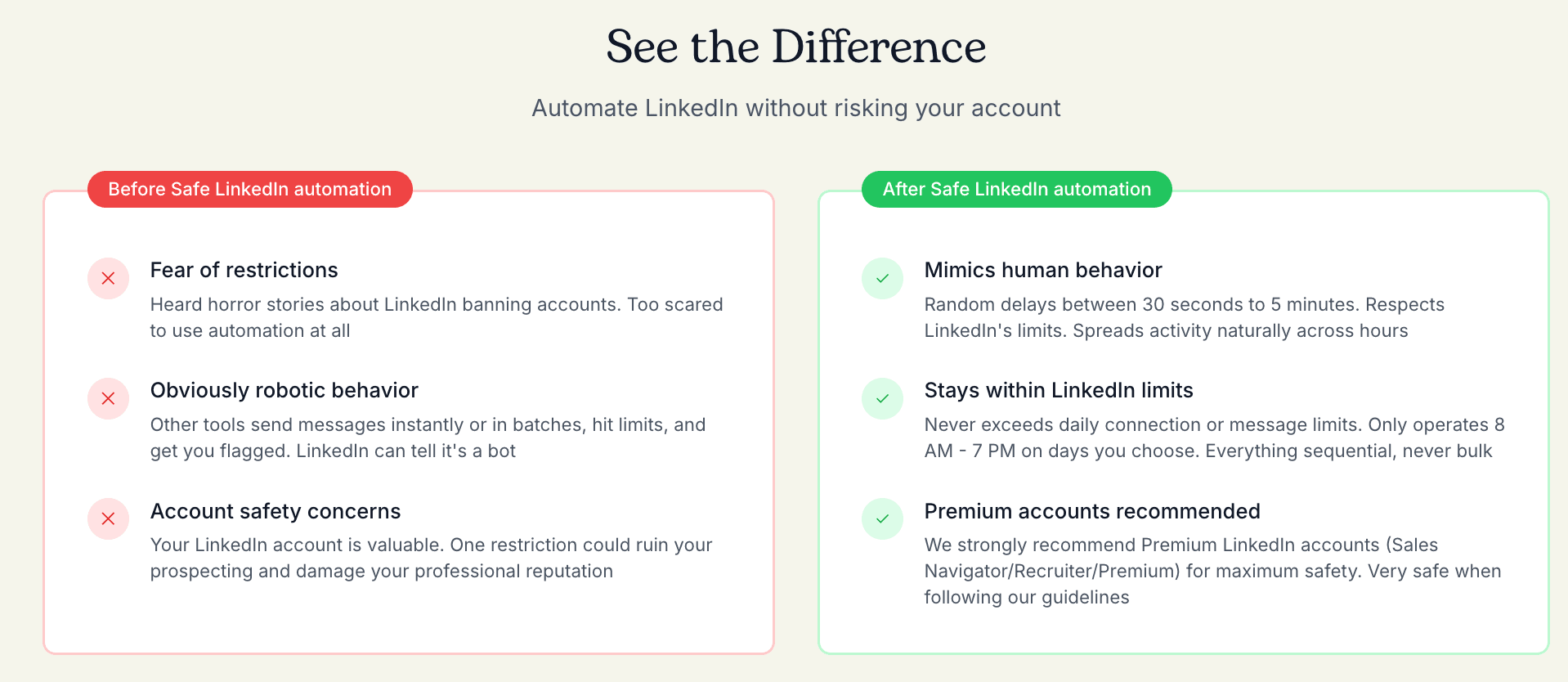
Botdog: Every Botdog plan includes identical comprehensive safety that cannot be disabled. The platform enforces human-like delays with randomization you can't override, account-specific daily caps that adjust automatically, and randomized activity patterns that mimic real human behavior. Invitation withdrawal happens automatically without setup, blacklist management prevents duplicate outreach, and the system even reduces activity on weekends and holidays.
Campaign sequences auto-pause when prospects respond, and Botdog continuously monitors account health to adjust limits based on account age and history. None of this requires configuration. You can't accidentally turn off safety features or set aggressive limits that violate LinkedIn's terms.
The risk level is very low. Users cannot misconfigure safety features because there's nothing to configure. The mandatory approach removes human error from the safety equation entirely.
Botdog vs Dux-Soup: team collaboration
Dux-Soup: Dux-Soup Pro has no team features. It's a single-user browser extension with no collaboration capabilities. For teams and agencies, Dux-Soup offers three dedicated plans: Turbo Team, Cloud Team, and Cloud Agency.
Dux-Soup Turbo Team is designed for sales teams who want collaborative campaigns while keeping the browser-based approach. The plan includes team campaigns that multiple members can contribute to, team prospecting that avoids duplicate targeting across your team, team campaign statistics to track performance collectively, team license administration for managing user access, a contact management system for organizing prospects, and integrations with your existing tools.
Turbo Team uses tiered pricing with up to 50% discounts based on team size. You can purchase as few as one seat or scale to larger teams, with pricing improving as you add more seats. The limitation is that Turbo Team still requires your browser to stay open and your computer to be running during campaigns since it's extension-based.
Dux-Soup Cloud Team provides everything in Turbo Team, plus cloud-based infrastructure. Your campaigns run on Dux-Soup's servers 24/7 without requiring your browser to stay open. The cloud infrastructure is stable, managed, and monitored by Dux-Soup. You get additional security and managed account safety features, plus always-on automation that lets you scale activity without computer limitations.
Dux-Soup Cloud Team also uses tiered pricing with volume discounts. Like Turbo Team, you specify the number of seats you need at checkout, and pricing improves with larger teams. This plan works well for sales teams where each member manages their own LinkedIn account but wants cloud automation and team collaboration.
Dux-Soup Cloud Agency is specifically built for agencies managing multiple client accounts. The plan requires a minimum of 5 client seats and provides cloud-based automation with a single dashboard for managing unlimited LinkedIn accounts. You get unlimited campaigns, unlimited personalizations, and unlimited activity across all managed accounts. The infrastructure is stable, managed, and monitored with additional security and managed account safety built in. Agency plans come with discounted monthly rates compared to individual Cloud plans.
The agency plan makes sense for marketing agencies, recruitment firms, and consultancies managing many client LinkedIn profiles from one centralized location. The 5-seat minimum reflects the agency use case where you're managing multiple client accounts rather than individual team members each using their own LinkedIn.

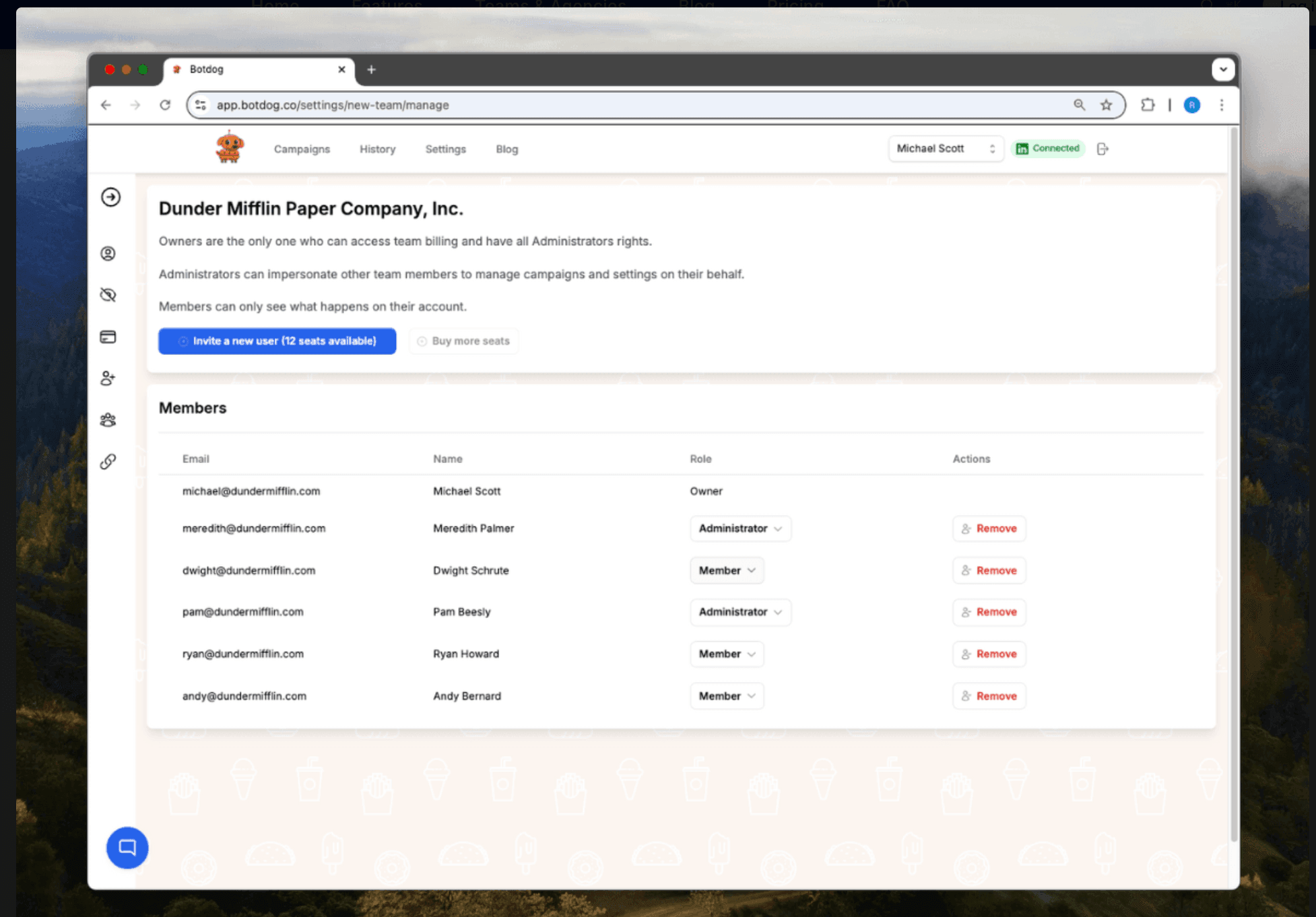
Botdog: Botdog includes team collaboration by default on all plans. The shared team inbox lets all members see prospect conversations, multi-account switching supports managing up to 10+ LinkedIn accounts, and team invitations work without password sharing. These features come standard regardless of team size, so even a two-person team gets full collaboration capabilities.
The team management dashboard monitors all accounts from one view and permission controls assign different access levels to team members. Multiple users can collaborate on campaign editing, and team analytics let you compare performance across team members to identify top performers and struggling accounts.
The pricing model is per-account with volume discounts. For 1-9 accounts, you pay $35-$45/month per account annually, depending on your tier. For 10+ accounts, the price drops to $28-$39/month per account annually.
Botdog vs Dux-Soup: CRM integration
Dux-Soup: Dux-Soup Pro offers basic CRM tagging and export capabilities. Dux-Soup Cloud provides native integrations with Salesforce for direct two-way sync, HubSpot for automatic contact creation and activity logging, Pipedrive for deal and contact synchronization, and other CRMs via Zapier.
For teams already using Salesforce or HubSpot, these native integrations provide seamless workflows without middleware. Data flows automatically between systems, activity logs populate without manual export/import, and the setup process is relatively straightforward through pre-built connectors.
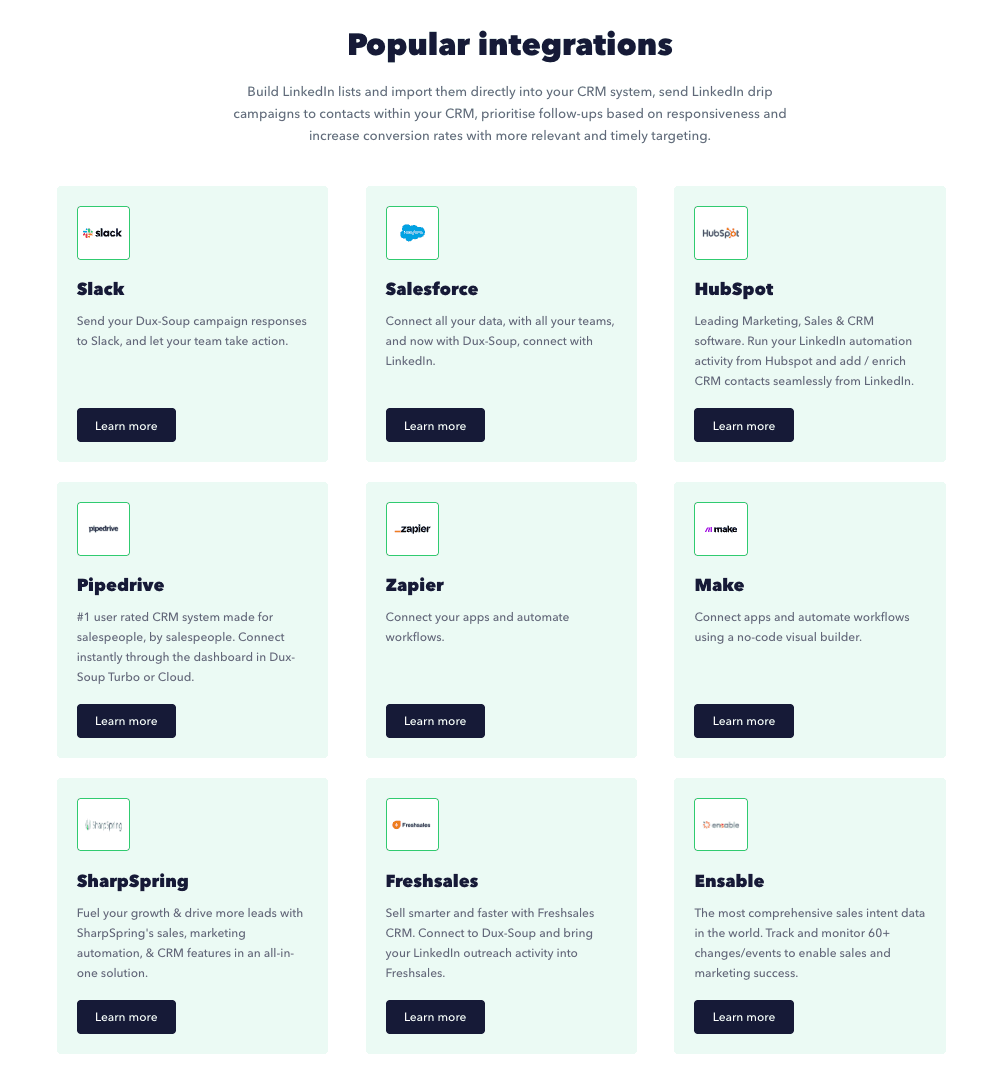
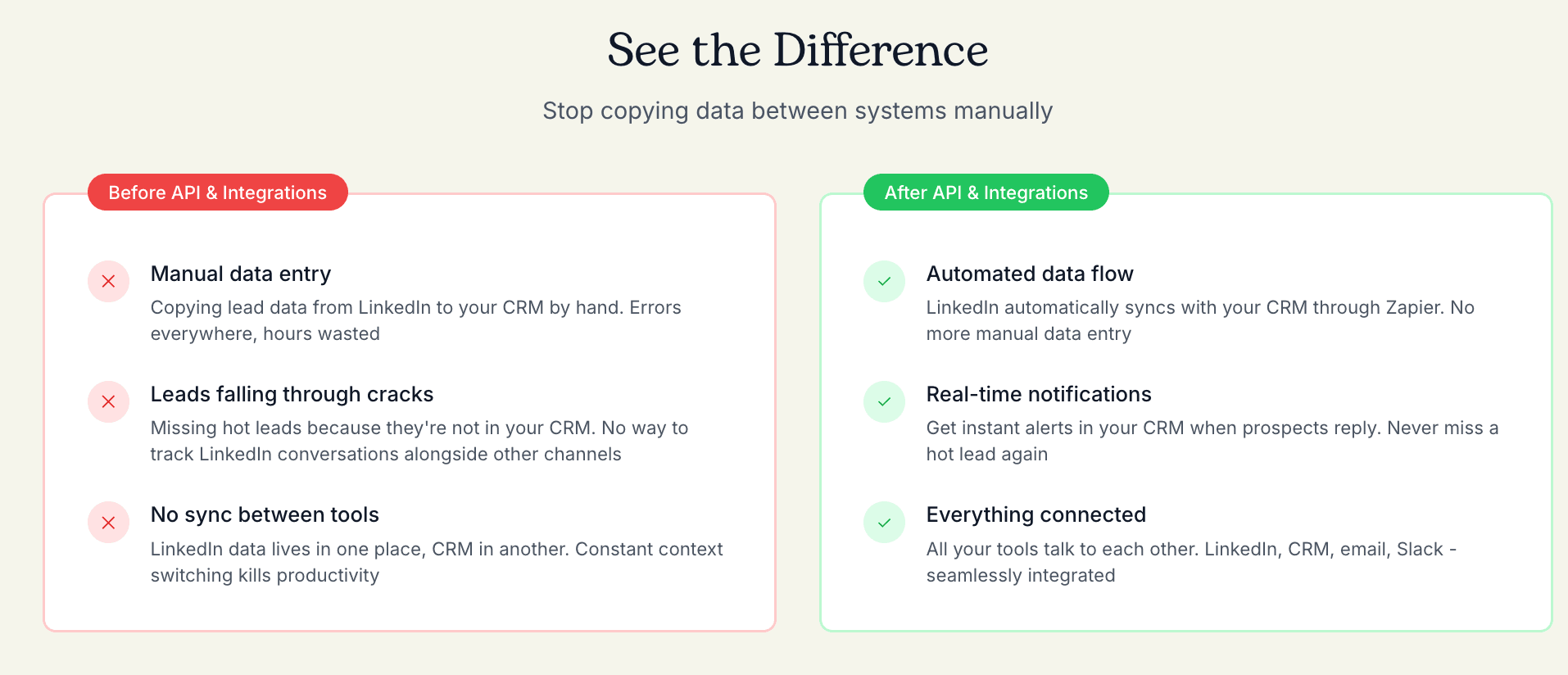
Botdog: Botdog Professional includes Zapier integration for connecting to 5,000+ apps and full REST API access for building custom integrations, webhooks for real-time event notifications, and CRM sync capabilities via API to connect any system that accepts API calls.
The advantage is flexibility for custom workflows and proprietary systems. Rather than relying on pre-built connectors, developers can build exactly the integration they need. For teams with development resources or unique CRM requirements, this approach offers more power.
Botdog vs Dux-Soup: customer experience
Botdog users consistently praise the platform's simplicity and support quality. On G2, reviewers highlight the "effortless" setup and "intuitive design" that requires minimal training. One customer noted they were able to "make a ton of connections" while appreciating the Zapier integration for workflow automation.
The recurring theme in Botdog reviews is time savings - users emphasize that setup takes minutes instead of hours, and the automatic safety features remove the anxiety of potential account restrictions. Customer support receives particularly high marks for responsiveness and helpfulness.
Complaints are minimal, typically limited to feature requests rather than problems with core functionality. The main criticism is that some users want more advanced features like email sequences, but most acknowledge this would contradict Botdog's LinkedIn-focused philosophy.

Dux-Soup reviews on Trustpilot (4.7/5) emphasize the platform's reliability and support quality. Long-time users praise the "smart, timely, and correct" technical support team and note that the product "works as expected" with quick response times to questions.
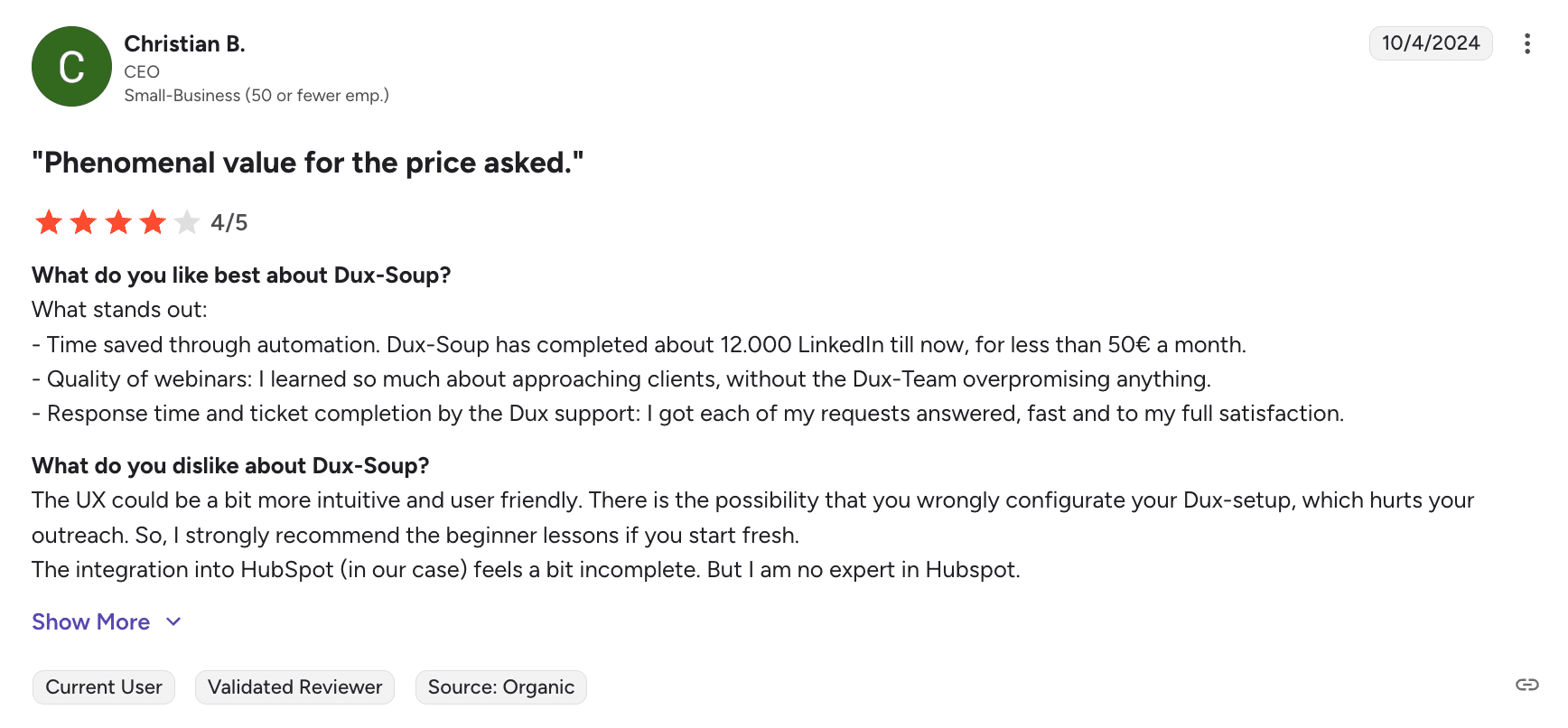
The most common feedback pattern involves acknowledging a learning curve - several reviewers mention the interface "not always being intuitive" initially, but credit the support team with helping them master the platform. Users appreciate Dux-Soup's effectiveness once configured properly.
Some users mention frustration with the complexity of the initial setup compared to simpler tools, particularly for the advanced campaign builder features. However, most agree that the customization capabilities are worth the investment in learning time.
Botdog vs Dux-Soup: pricing
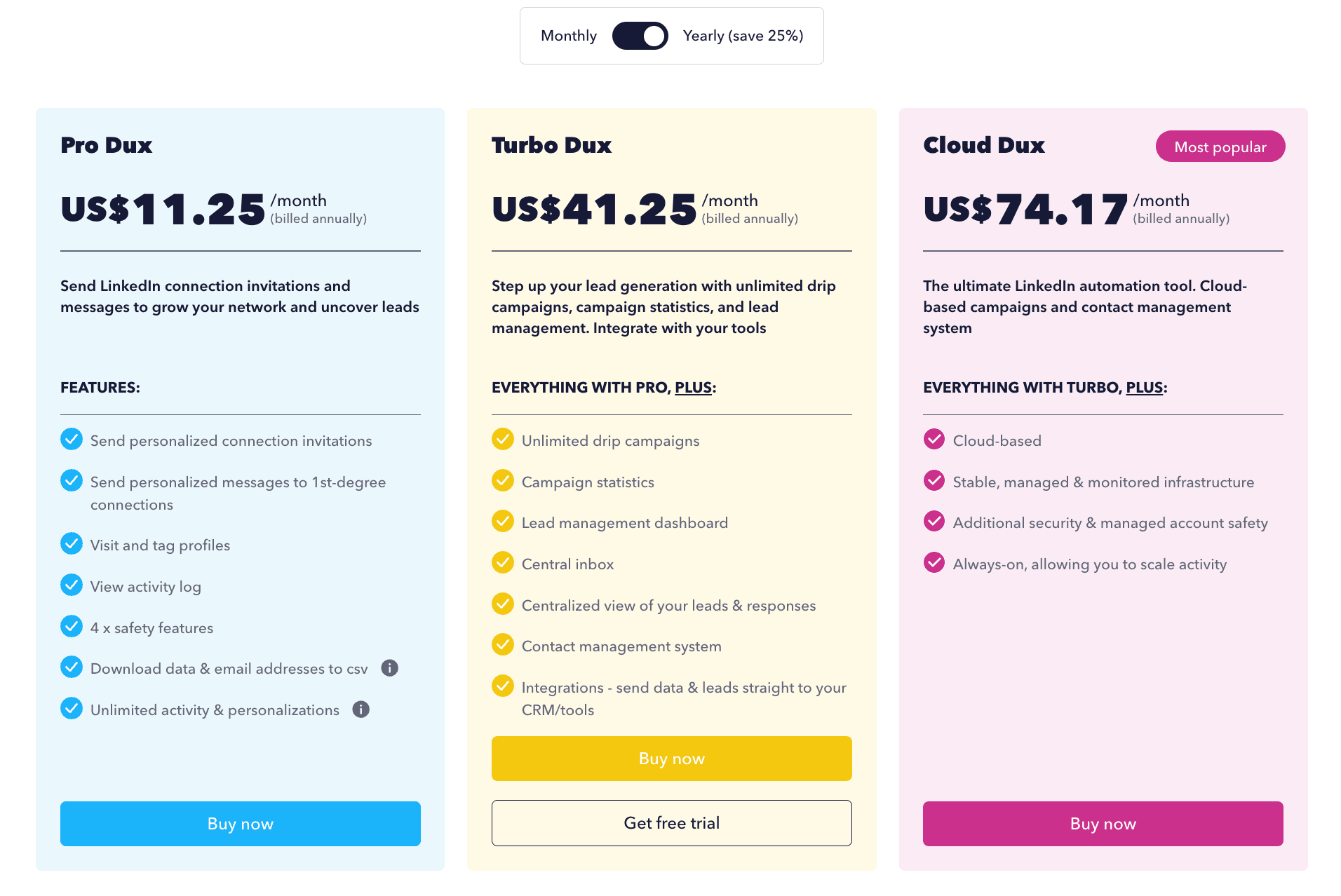
Dux-Soup wins on the absolute lowest cost. The Pro plan at $11.25/month (annual) or $14.99/month makes it one of the most affordable LinkedIn automation tools available. This browser extension plan covers basic automation needs for solopreneurs who just want to automate connection requests and basic follow-ups.
However, for true cloud automation (where campaigns run 24/7 without your browser open), you need Cloud Dux at $99/month or $74.17/month annually.
Botdog starts at $35/month annually ($69 monthly) for the Starter plan, which includes unlimited campaigns, cloud-based automation, and all safety features. For teams managing 10+ accounts, pricing drops to $28/month per account annually.
The Professional plan ($39/month annually for 1-9 accounts) adds API access, webhooks, advanced sequences, and email enrichment. The Professional + AI plan ($45/month annually) includes AI lead filtering and smart reply features.

Head-to-head: Dux-Soup Cloud vs Botdog Professional
When comparing Dux-Soup and Botdog, the like-for-like plans are Dux-Soup Cloud versus Botdog Professional. Both are cloud-based platforms that run campaigns 24/7 without requiring your browser to stay open. Here's how they stack up:
Platform architecture
Dux-Soup Cloud runs on Dux-Soup's infrastructure and offers true cloud automation with built-in safety layers, including throttling, daily limit enforcement, and automatic snooze when caps are reached. The cloud version monitors pending actions every hour and can automatically cancel or pause them to avoid triggering LinkedIn alerts. Your campaigns execute continuously from Dux-Soup's servers.
Botdog Professional is cloud-native by design - every campaign runs on Botdog's servers with mandatory safety algorithms that enforce human-like delays, daily caps, and randomized patterns. These protections cannot be disabled, so misconfiguration is virtually impossible. The platform was built from the ground up as cloud infrastructure rather than being adapted from a browser extension.
Setup and configuration
Dux-Soup Cloud requires initial setup of your 12-action campaign sequences with drag-and-drop editing. You'll configure timing delays between each action, set daily limits, and enable Expert Options to activate features like auto-cancel pending invitations. The setup process typically takes 15-30 minutes as you build out your automation workflows and ensure safety settings are properly configured.
Botdog Professional focuses on rapid deployment. You import your prospect list (LinkedIn search, Sales Navigator, CSV, or post engagement), write your message sequence using personalization variables, and launch. The entire process takes approximately three minutes because safety parameters are pre-configured and enforced automatically. There's no need to manually set delays, caps, or withdrawal schedules - Botdog handles this behind the scenes.
Safety and compliance
Dux-Soup Cloud: Strong safety features are available, but users must enable and configure them. The Expert Options include "Cancel Pending Invitations," which runs every 60 minutes once activated, speed throttling to cap hourly activity, and automatic pause when daily limits are reached. This provides flexibility for advanced users who understand LinkedIn's restrictions and want control over parameters.
Botdog Professional: Safety is non-negotiable and completely automated. Random delays between actions, account-specific daily limits, and automatic withdrawal of old invitations are enforced on every campaign without user configuration. The platform treats compliance as a core feature rather than an optional setting. Users cannot accidentally disable safety features or configure campaigns in ways that could trigger LinkedIn restrictions.
Pricing
Dux-Soup Cloud: $99/month or $74.17/month billed annually
Botdog Professional: $79/month or $39/month billed annually
Botdog Professional costs 61% less than Dux-Soup Cloud when billed annually ($39 vs $99 per month). Even on monthly billing, Botdog Professional is 20% cheaper ($79 vs $99). For teams managing 10+ accounts, Botdog's volume pricing drops to $31/month - less than a third of Dux-Soup Cloud's cost.
The verdict: Dux-Soup Cloud vs Botdog Professional
Choose Dux-Soup Cloud if:
- You need the 12-action campaign builder with granular sequence control
- Your workflow requires native Salesforce or HubSpot integrations
- You want maximum customization over every automation parameter
- You're comfortable spending time configuring and monitoring safety settings
- The $99/month price point fits your budget for a single account
Choose Botdog Professional if:
- You want cloud automation at a significantly lower price ($39 vs $99 annually)
- Setup speed matters - three minutes vs 15-30 minutes
- You need API/webhook access for custom integrations
- Team collaboration features are important (shared inbox, multi-account management)
- You prefer mandatory safety over configurable parameters
- You're managing multiple accounts (volume pricing drops to $31/month)
- Email enrichment would save you time finding prospect contact details
Use case recommendations
Choose Botdog if:
You're a small sales team (2-10 people) focused purely on LinkedIn outreach: Botdog's team collaboration features, shared inbox, and volume discounts make it ideal for coordinating LinkedIn campaigns across multiple team members without confusion or duplicate outreach.
You want automation without becoming an automation expert: The three-minute setup and mandatory safety features mean you can start generating leads immediately without studying LinkedIn's complex restriction policies or configuring advanced settings.
You value account safety over customization: If your LinkedIn account is critical to your business and you'd rather sacrifice some configuration flexibility for guaranteed compliance, Botdog's non-negotiable safety measures provide peace of mind.
You're scaling beyond solo prospecting: Once you need more than one account or want team members collaborating on campaigns, Botdog's multi-account management (up to 10+ accounts) and per-seat pricing make scaling straightforward.
You want AI assistance: The Professional + AI plan's lead filtering and smart reply features save time on prospect qualification and response drafting—capabilities Dux-Soup doesn't offer.
You need cloud automation at the best price: At $35/month annually, Botdog Professional is 61% cheaper than Dux-Soup Cloud while offering comparable cloud-based automation with additional features like API access and email enrichment.
Choose Dux-Soup if:
You're a solopreneur on a tight budget: At $11.25-14.99/month for the Pro plan, Dux-Soup is one of the most affordable ways to automate LinkedIn prospecting. If you're comfortable with browser extensions and don't mind keeping your computer on during campaigns, this is the cheapest option.
You need granular control over automation sequences: Dux-Soup's 12-action campaign builder with drag-and-drop editing provides significantly more customization than Botdog's simplified approach. If you want to orchestrate complex multi-touch sequences with precise timing controls, Dux-Soup delivers.
You're an agency managing multiple client accounts: The Cloud Agency plan ($371 for 5 seats) provides a dedicated dashboard for managing unlimited LinkedIn accounts across your client base. This agency-specific infrastructure is purpose-built for service providers.
You need deep CRM integrations: Native connections to Salesforce, HubSpot, and other enterprise CRMs make Dux-Soup attractive for users with established sales tech stacks who want LinkedIn automation to sync seamlessly.
You're comfortable with configuration: If you understand LinkedIn's limits and want control over your automation parameters (rather than mandatory safety features), Dux-Soup's configurable approach gives you flexibility while still providing safety tools.
Final verdict: which tool is right for you?
The Botdog vs Dux-Soup decision ultimately comes down to your priorities around simplicity, budget, and control.
Choose Botdog if you value:
- Speed to results: Three-minute setup vs hours of configuration
- Guaranteed safety: Non-negotiable compliance features that protect your account
- Team collaboration: Shared inbox, multi-account management, and volume discounts
- Cloud convenience: 24/7 automation without browser requirements
- AI assistance: Lead filtering and smart reply features (Professional + AI)
- Best cloud value: 61% cheaper than Dux-Soup Cloud ($39 vs $99 annually)
Best for: Small to medium sales teams, busy professionals, and users who want LinkedIn automation to "just work" without technical expertise.
Choose Dux-Soup if you value:
- Budget entry point: $11.25/month gets you started with basic automation
- Maximum customization: 12-action campaign builder with drag/drop control
- Agency-specific features: Dedicated dashboard for managing multiple client accounts
- CRM integration depth: Native Salesforce and HubSpot connections
- Configuration flexibility: Control over safety parameters and sequence complexity
Best for: Budget-conscious solopreneurs, agencies managing client accounts, and power users who want granular control over automation sequences.
Ready to automate your LinkedIn outreach?
Both Botdog and Dux-Soup offer free trials, so you can test drive each platform before committing.
Try Botdog free for 7 days and see how fast you can launch compliant LinkedIn campaigns with automatic safety features and 61% cost savings vs Dux-Soup Cloud.
Try Dux-Soup free for 14 days to explore their customizable campaign builder and decide if the learning curve fits your workflow.
The best choice depends on whether you prioritize simplicity and team features (Botdog) or budget entry and maximum customization (Dux-Soup). Either way, automating your LinkedIn outreach will save hours weekly and generate more qualified conversations than manual prospecting ever could.