Attachments: fixes for campaign messages and the inbox
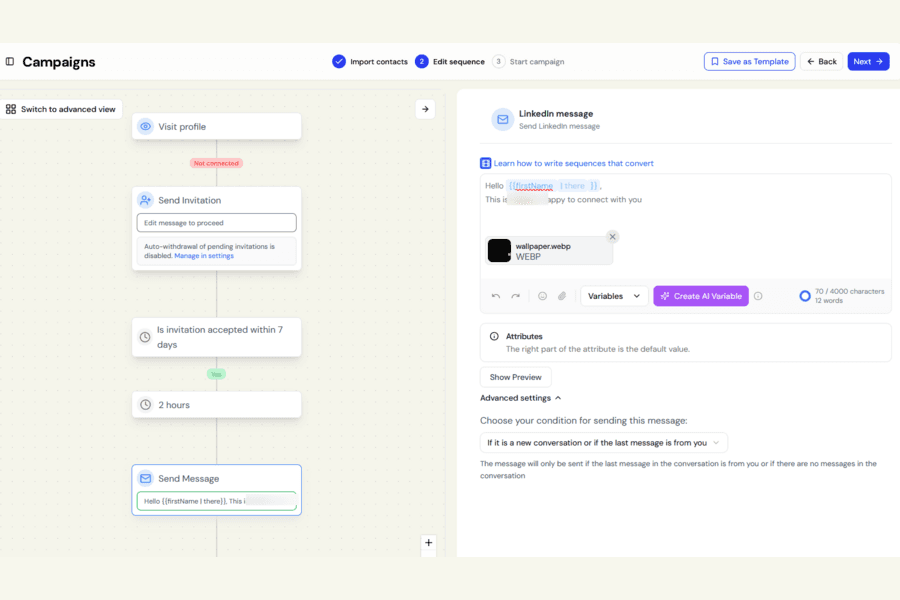
We fixed a few issues with attaching images, PDFs, videos, and voice notes to your messages.
Campaign messages and InMails
Remove just the attachment you want
Previously, if a message step had several attachments, removing one could accidentally remove all of them.
Now, only the attachment you choose to delete is removed.
Attachments now need a message
Campaign messages with an attachment but no text could previously be saved and launched, even though LinkedIn cannot send those campaign messages without accompanying text.
This meant the message would never be delivered.
Botdog now asks you to Add a message to send with your attachment, and the campaign cannot launch until text has been added.
Steps that already include a message are not affected.
Clearer attachment errors in the Inbox
If a file cannot be attached, Botdog now tells you why.
Previously, choosing a video that was too large, used an unsupported format, or was not available on your plan could appear to do nothing.
You will now see a clear message explaining the issue.
File size limits are checked before sending
The Inbox now checks the actual limits as soon as you select a file:
- Videos: up to 20MB
- Voice notes: up to 5MB
These were already the real sending limits. Botdog now checks them before accepting the file, so you know immediately if it cannot be sent.