July 29, 2026
See a lead's full activity history from your campaign logs
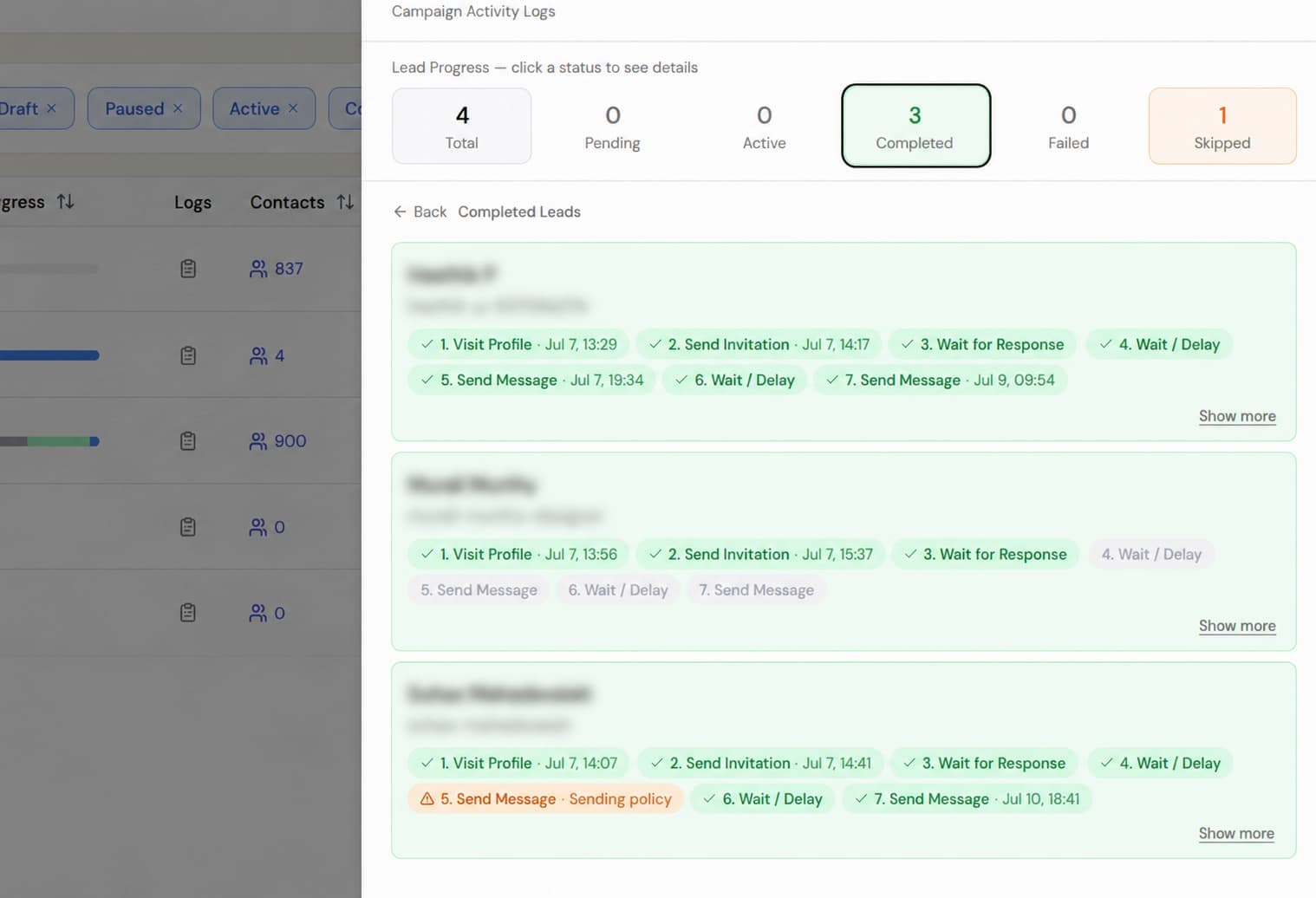
You can now see exactly what happened with each lead directly from your campaign activity logs.
Open any campaign, go to the activity logs, and select one of the status counts:
- Total
- Pending
- Active
- Completed
- Failed
- Skipped
Each lead now includes a Show more link.
Clicking it opens the lead’s complete activity timeline, with the newest activity shown first. You can see:
- When the campaign started for that lead
- When their profile was visited
- When the invitation was sent and accepted
- Every message sent, along with a preview
- Any replies received
- Any skipped steps, with a clear reason such as Already replied or Sending policy
Previously, the logs showed which stage a lead had reached, but not the full details of what happened at each step.
You can now review the entire journey without leaving the activity logs. Close the timeline and you will return to the same place in the list.