Turning off Push now also silences that notification in the app
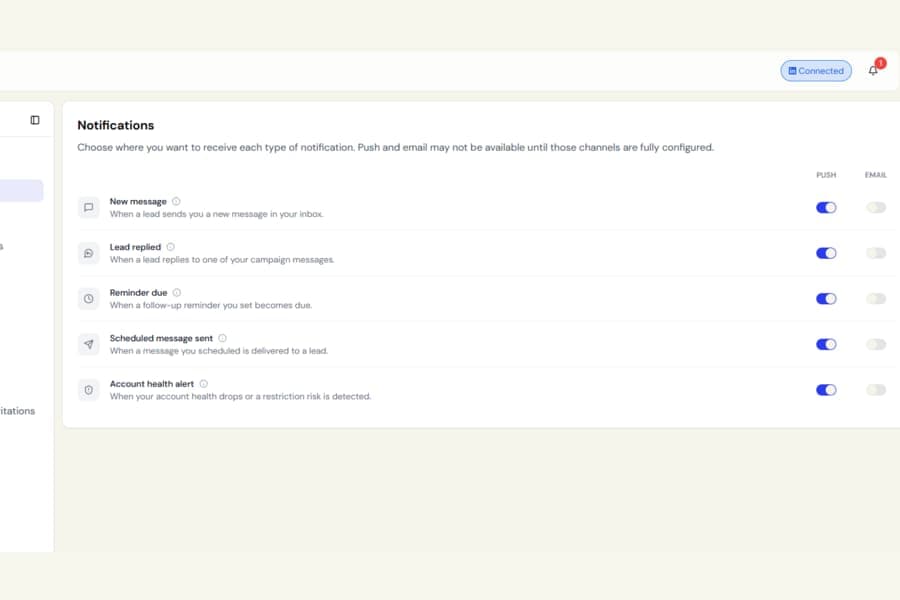
We have made the Push switch in Settings > Notifications the main control for whether a specific event alerts you.
What was happening
Previously, turning Push off only stopped the notification on your phone.
The same event could still appear in your in-app notification bell, which made it feel like the notification had not really been turned off.
What changed
When Push is turned off for an event:
- You will no longer receive a phone notification
- You will no longer receive a notification in the Botdog bell
The event is now fully muted.
Your inbox and open conversations will still update automatically in real time. Turning notifications off only stops the alerts. It does not stop live updates inside Botdog.
Turn Push back on, and both phone alerts and bell notifications will return.
Email notifications are still controlled separately.
If you have not changed your notification settings, your existing defaults stay the same. This update only affects notification types where you had already switched Push off.