We've fixed People Search coming back empty
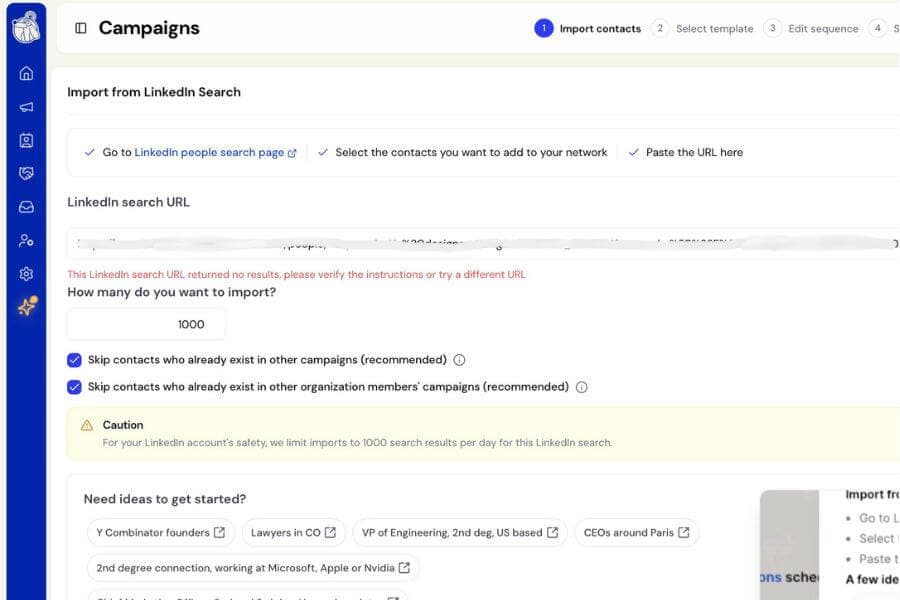
We fixed an issue that could prevent People Search from working, even when you pasted a valid LinkedIn search link.
This most often affected simple keyword searches, such as searches for a company or product name. You could see an invalid URL message, be told there were no results, or find that the import would not start at all.
There were two separate causes, both related to recent changes on LinkedIn.
Searches without a total result count now work
LinkedIn no longer always tells us how many results a search contains.
In some cases, LinkedIn shows the people it found without providing a total number. Botdog was treating that missing total as a broken search and discarding the results.
Those searches now import normally.
When LinkedIn does not provide a total, Botdog simply tells you that the total is unavailable. It will not show a guessed number or incorrectly say there are no results.
The number of contacts you can import will instead fall back to your daily import limit.
People no longer need an extra LinkedIn reference code
LinkedIn also stopped sending one of the internal reference codes it previously attached to each person.
Botdog was requiring that code before accepting someone into the results, even though it was not actually needed.
This could cause a search to find valid people but show none of them in Botdog, particularly on some Free and Premium LinkedIn accounts.
That requirement has now been removed.
Good to know
Nothing changes for People Searches that were already working correctly.
Profiles LinkedIn hides as LinkedIn Member will still be skipped because there is no usable profile information available to contact them.