You Can Now Prioritize A Campaign
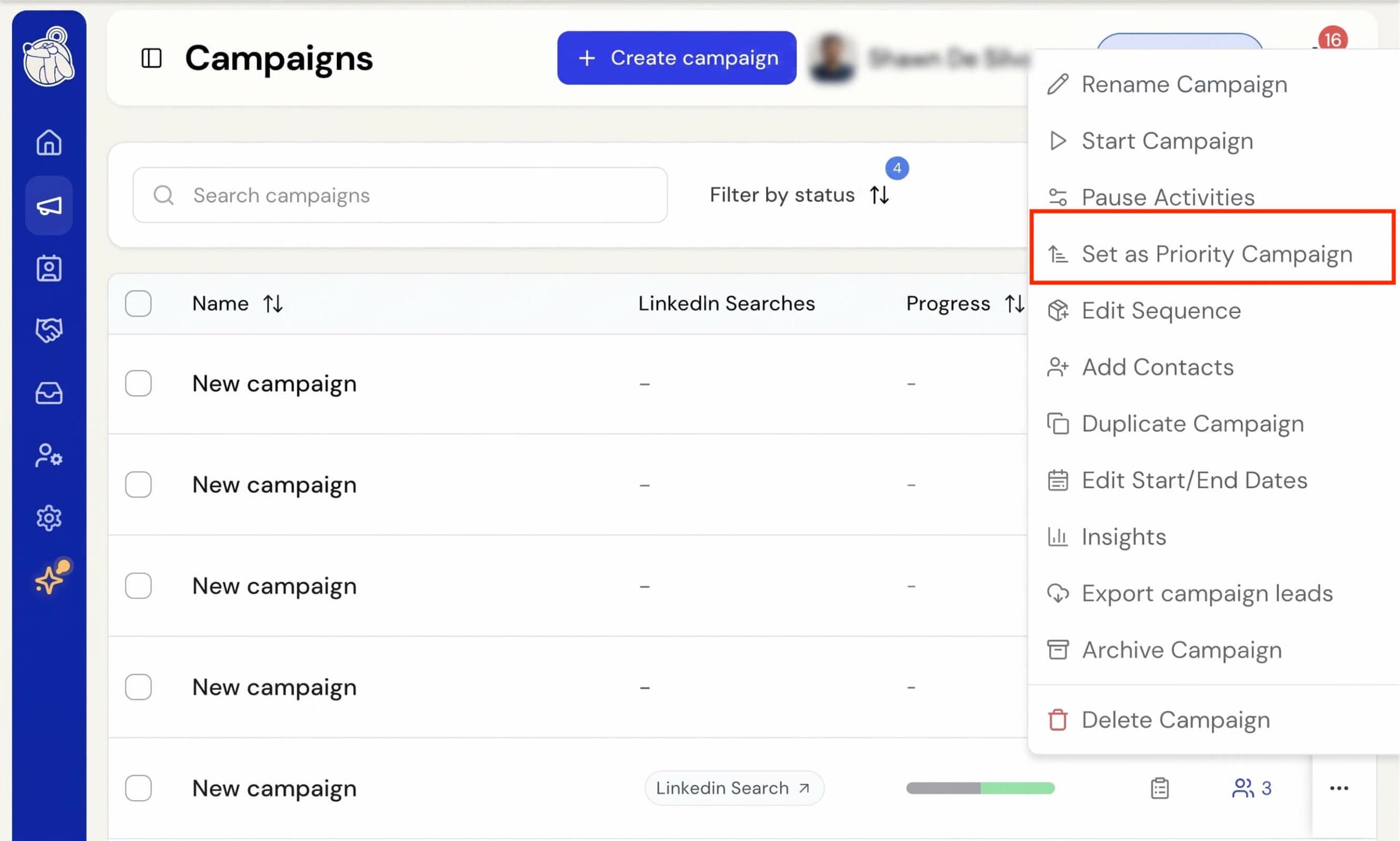
When several campaigns run at the same time, they share your daily activity evenly. You can now choose one campaign as your priority campaign. It gets first use of your daily allocated activity each hour, so it moves ahead of your other campaigns and finishes sooner.
To set a campaign as the priority, open the “…” menu on a running campaign and choose Set as priority campaign. You can also turn on Set as priority campaign on the Ready to start? screen before you launch.
Each hour during your working hours, Botdog works out how many actions of each type to run based on your daily limits, such as profile visits, invitations, messages, and InMails. The priority campaign takes its share of every action type it needs, and you choose how big that share is.
Upon selecting the campaign as a priority, you’ll also have the option to choose how much of your allocated activity the priority campaign is given. Most of it, the priority campaign takes about three quarters of each action type, and your other campaigns share the rest. With All of it, the priority campaign takes every action it can use, and your other campaigns run whatever is left.
Priority is applied separately to each action type. If your priority campaign is busy visiting profiles, your other campaigns can still send their messages. If the priority campaign can’t use its actions in a given hour, those actions go to your other campaigns, so none of your activity goes unused. This can happen when it’s waiting on replies or has no leads left at a step.
Only one campaign can have priority at a time. If you set a new priority campaign, you’ll be asked to confirm the switch, and the previous one goes back to normal. A campaign also loses priority automatically when it finishes or is archived. Prioritized campaigns show a ↑ next to their name in the campaigns list.