Sending LinkedIn connection requests in 2026? It’s definitely more than just clicking “Connect.” These days, you’ve got to stand out in a network where professionals get flooded with requests every week.
If you want to succeed, you need to send personalized, relevant, and well-timed requests that show real interest and clear value.
In this guide, we will show you how to write messages that sound natural, pick the right people to connect with, and avoid mistakes that tank your acceptance rate.
Each tip here is about connecting with purpose, building credibility, and turning those online intros into actual relationships.
The Basics of LinkedIn Connection Requests
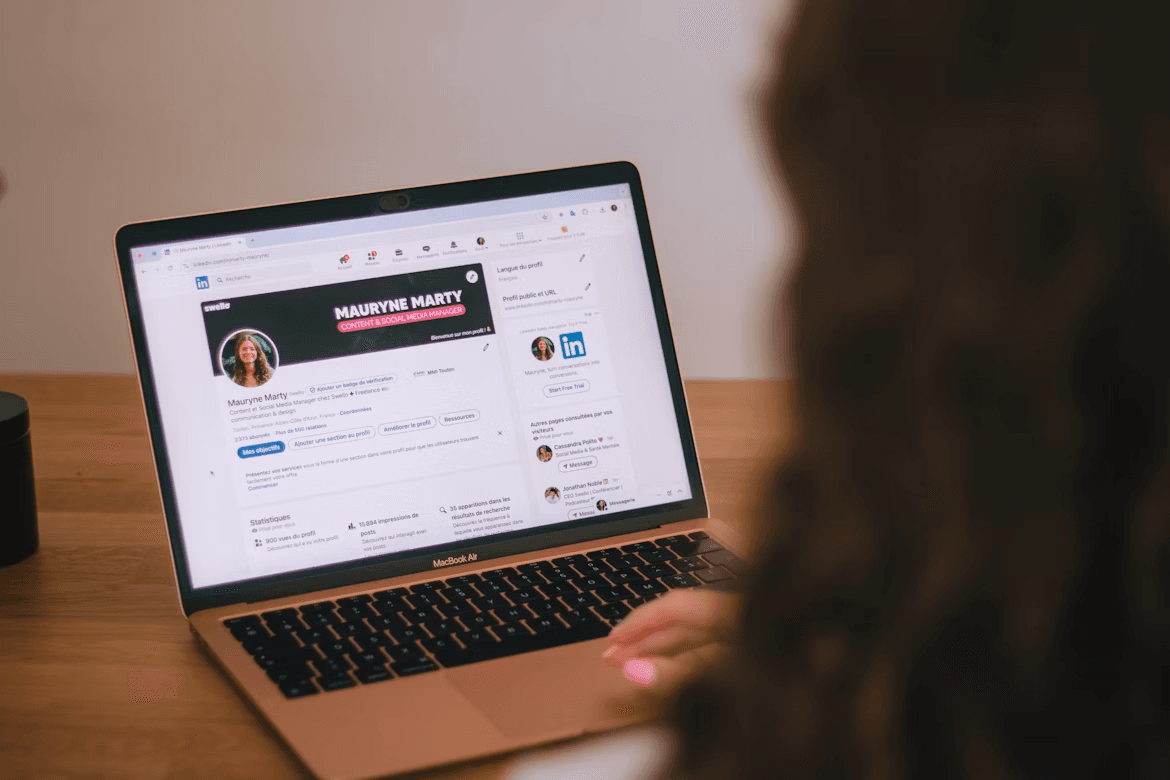
Image source: Unsplash
LinkedIn connection requests kick off your networking. When you send one, you’re asking someone to connect so you can message them, see each other’s updates, and boost your professional visibility.
Every accepted connection expands your reach. Your content pops up more often in searches and feeds.
If you get how LinkedIn’s algorithm works, you’ll connect more effectively. The platform rewards authentic, two-way relationships.
When you send thoughtful requests and engage with people’s posts, LinkedIn notices and may show your profile to more people in similar circles.
You can send requests from profiles, search results, or event pages. If you add a short note mentioning a shared interest or a mutual contact, it feels more personal, and your chances go up.
The best lead generation tools like Botdog make LinkedIn outreach easier. You can schedule invites, track replies, and even auto-withdraw old requests. It helps you stay within LinkedIn’s limits and keeps your networking on track.
Start a free trial to see how it works.
The Psychology Behind a Successful Connection Request
Sending a LinkedIn request isn’t just about adding a name. You’re starting a professional relationship.
People accept invites when they sense real interest, shared values or some kind of mutual benefit. If your message feels thoughtful and personal, you’re already ahead.
Engage with their content before reaching out. Liking or commenting shows you appreciate their perspective and can double your acceptance rate.
Mentioning a shared interest or recognizing their achievements makes your outreach feel human, not just transactional.
Finding And Targeting The Right Prospects
First, decide who you actually want to connect with. Focus on professionals in your industry, people with similar goals, or folks exploring new opportunities.
Look for mutual connections who might introduce you or make your requests feel warmer.
Use search tools like LinkedIn Sales Navigator to narrow things down. Filter by location (like San Diego), job title, or company size.
Add filters for shared background, university, or specific interests to make your outreach more targeted.
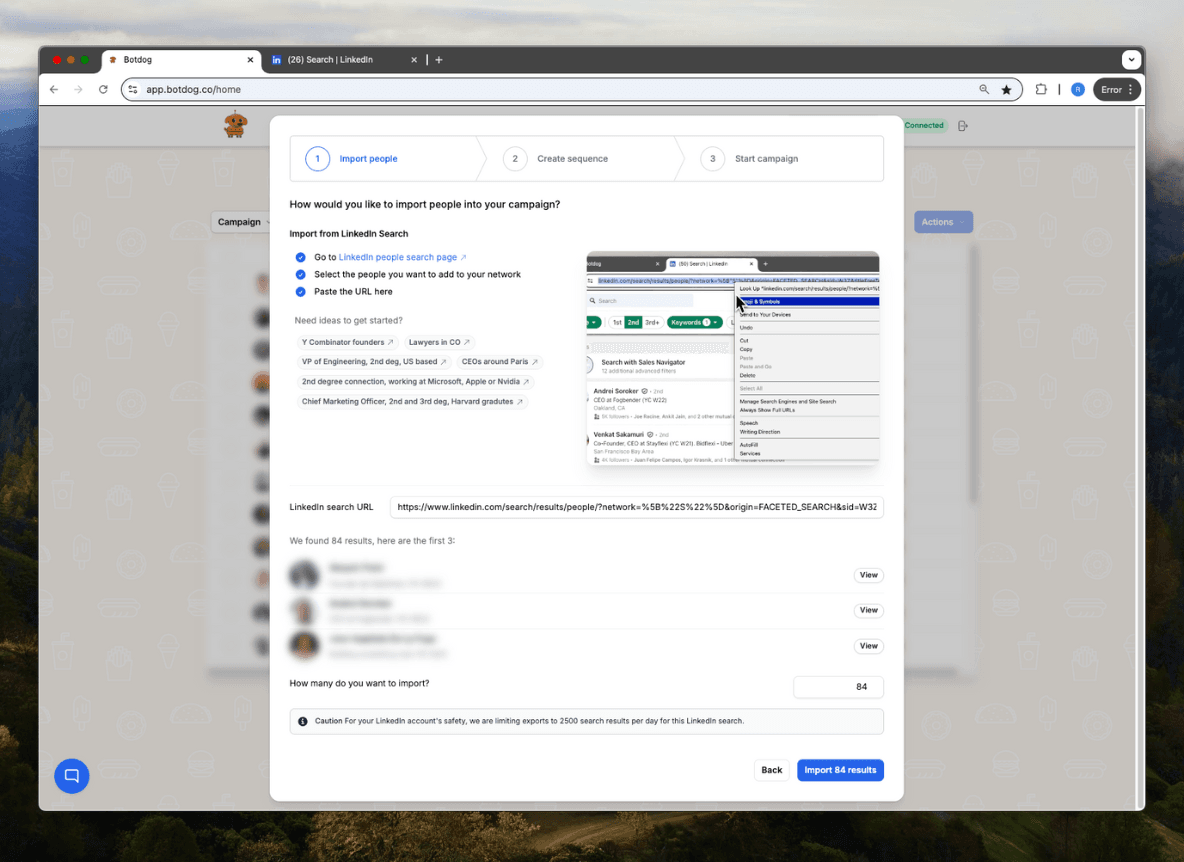
You can use Botdog’s LinkedIn search export to copy and paste the search URL and export the list as CSV before sending your connection requests.
Join LinkedIn groups and follow industry leaders to stay visible.
Comment on posts, share insights, and respond to news to attract attention from others who want to connect around similar topics.
If you go to a networking event, look up attendees afterward and send thoughtful requests while it’s still fresh. Mention the event in your note to jog their memory.
Always double-check your list before sending requests. Make sure each connection fits your goals.
Automation can help you scale outreach without losing the personal touch. LinkedIn outreach automation tools, like Botdog, save time and keep things consistent when reaching out to new contacts.
Creating A Compelling LinkedIn Connection Request Message
Your initial message shapes how people see your personal brand. Keep it friendly and clear. A short, personalized message that mentions something specific from their profile shows you took a minute to learn about them.
Think about context before you write. Why are you reaching out? If you want to discuss working together, say so and keep it polite. Stay professional and skip the slang or emojis that might confuse your intent.
Tips for effective LinkedIn messages:
- Greet them by name.
- Mention how you found them or what you admire about their work.
- Explain why you want to connect, briefly.
- End with a simple call to action, like “I’d love to hear your thoughts.”
Here’s a quick structure to keep things on track:
Try to keep your message under 75 words. Short and sincere usually works best and gets the conversation rolling.
10 LinkedIn Connection Request Best Practices For 2026
Image source: Pexels
Building a real professional network on LinkedIn requires clarity, personalization and respect for people’s time.
You’ll get better results by focusing on real engagement, smart timing, and using lead generation automation tools like Botdog, which plays by LinkedIn’s rules.
Use “micro-missions” to spark collaboration
Instead of just connecting, propose a tiny shared goal. Something low-effort but mutually beneficial.
Example: “I’m gathering short insights from marketing leaders on 2025 trends. I would love to include your perspective.”
Why it works: It turns a cold request into a cooperative opportunity.
Don’t use salesy or spammy language
Keep your first message about connecting, not selling. People spot a sales pitch a mile away. Avoid words like “buy”, “demo” or “offer”.
Show interest in their expertise or company. Ask an open-ended question or mention something you liked about their recent work.
Avoid:
- “Let’s schedule a demo.”
- “I can help you increase revenue.”
- “Here’s my product.”
People want to connect with people, not sales scripts. Once trust is there, talking business can come up pretty easily later on.
Connect with mutual connections to build credibility
Mutual connections are social proof. When someone sees you share contacts they trust, they’re more likely to accept your request.
If it fits, mention one in your message: “I noticed we’re both connected with Alex Chen. I’ve worked with him on several projects and thought we might have similar interests.”
Tips:
- Reference mutual connections naturally.
- Don’t name-drop if your connection is weak.
- Ask for introductions when it makes sense.
Use LinkedIn groups to find warm prospects
LinkedIn groups are still a great source of warm leads. Join groups in your industry or niche. Jump into discussions to get noticed before you send a request.
When you reach out, mention the shared group: “I saw your post in the Digital Marketing Leaders group and liked your thoughts on campaign automation.”
Benefits of group engagement:
- Shared context builds trust.
- It’s easier to start conversations.
- You’ll meet active professionals in your field.
Engage before you send a request
Liking, commenting or sharing someone’s post before connecting can really help. It shows you’re genuinely interested and helps them recognize your name when your invite lands.
Skip the “Great post!” comments. Add thoughtful feedback or ask a question that sparks conversation.
Simple engagement plan:
- Follow the person.
- Interact with two or three of their posts.
- Send a personalized request referencing that interaction.
Use timing to boost acceptance rates
Timing matters. Sending requests during business hours, especially midweek mornings, usually gets better results. People are more active on LinkedIn then and more open to networking.
Avoid weekends or late nights when folks aren’t in work mode. Try using LinkedIn analytics to figure out what works best for your own audience.
Follow up after connection acceptance
When someone accepts your request, send a quick thank-you message. Keep it casual and don’t pitch anything just yet.
You could say something like, “Thanks for connecting, Sarah! I enjoyed your article on team leadership.”
Or maybe, “Looking forward to learning more from your updates.”
Follow-up checklist:
- Say thanks for connecting.
- Keep it to two or three sentences.
- No links or attachments for now.
Use the “future connection” frame
If you’re not ready to connect now, set up the connection for later.
Example: “I’m launching a sustainability project early next year. I would love to connect now so we can stay in touch as it develops.”
Why it works: It creates anticipation and purpose for the connection.
Stay within LinkedIn’s limits to keep your account safe
LinkedIn has a weekly connection limit to prevent spam. If you go over, your account might get restricted or lose visibility.
Try to keep it under 100 requests a week, but to be honest, less is more. Focus on quality connections, not quantity.
Safety guidelines:
- Don’t send a bunch at once.
- Withdraw old pending invites.
- Always be professional.
Use automation responsibly with Botdog’s compliance features
Automation can work for your LinkedIn outreach, but only if used responsibly.
Botdog has advanced compliance features to help you stay within LinkedIn’s terms of service while scaling your networking.
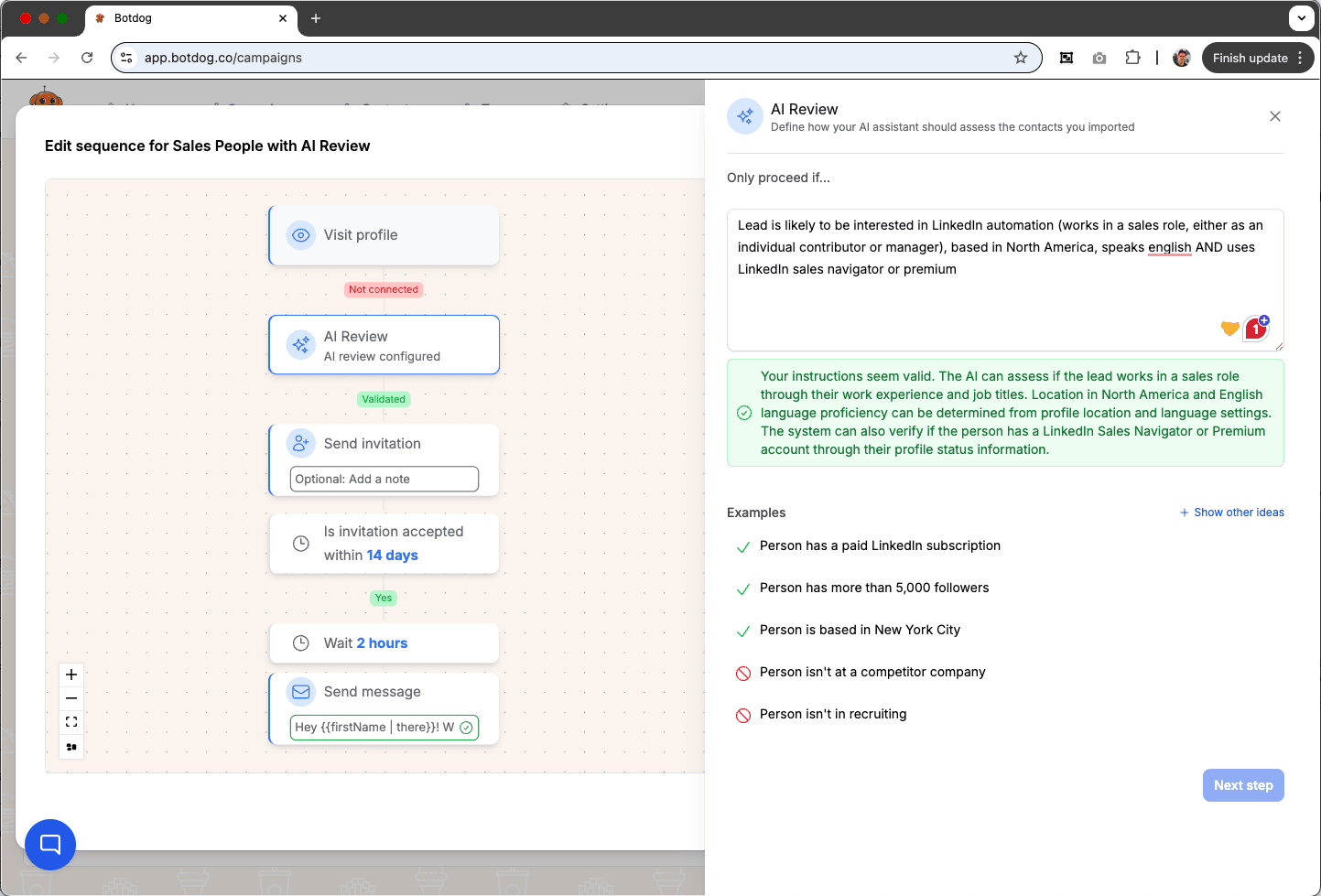
Its AI lead review checks your leads before outreach, so you can connect only with the most qualified prospects that meet your exact criteria.
Its compliance engine monitors your activity levels to ensure you never exceed daily limits for connection requests, messages or profile views. You can also auto-withdraw pending invitations after 30 days.
The activity throttling feature simulates human behavior, spacing out actions to avoid triggering LinkedIn’s spam filters.
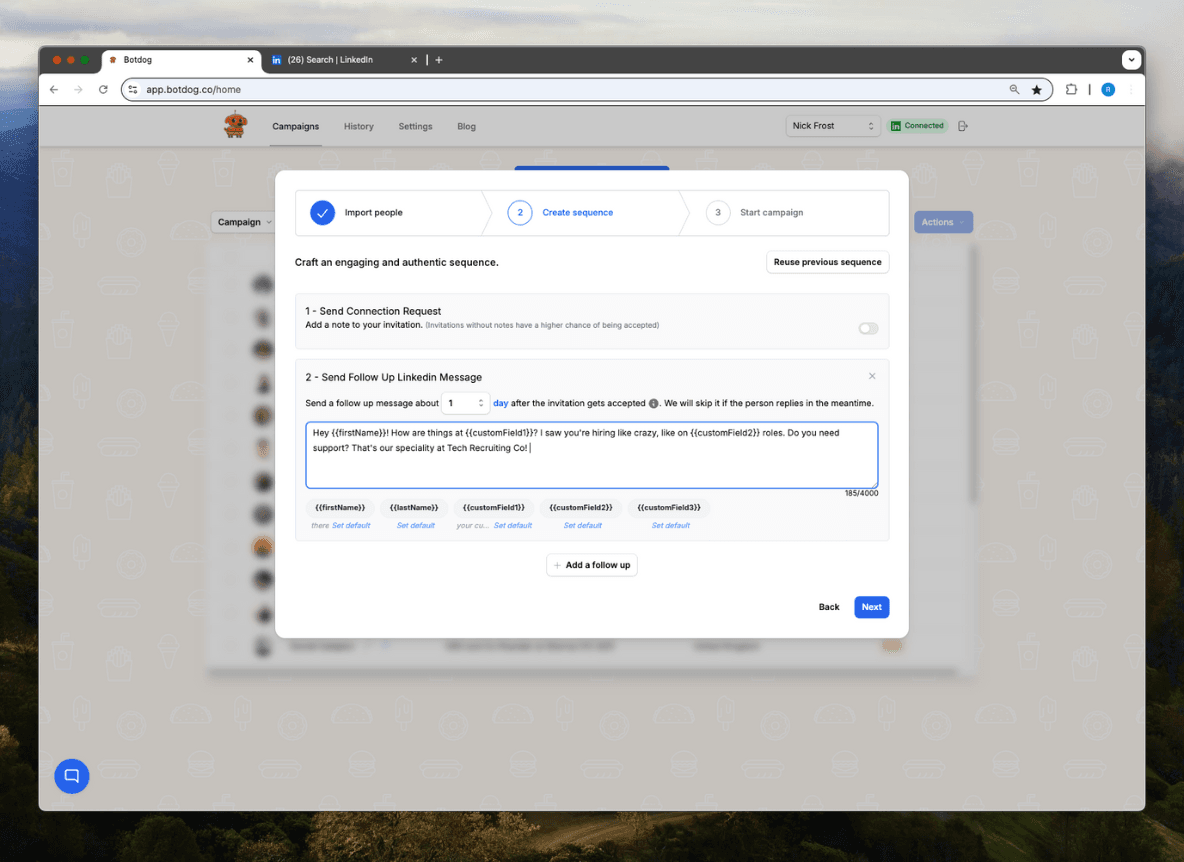
Advanced personalization variables make every automated message feel authentic and relevant, so you can build real relationships without generic outreach.
Other smart compliance tools include automated sequences with message scheduling to outreach during optimal engagement windows, and real-time safety alerts if your activity is getting close to risky thresholds.
Together, these features help you maintain a professional reputation and protect your account.
With Botdog, you can automate with confidence. Expect efficiency, personalization and full compliance for sustainable LinkedIn growth.
Start a free trial now.
Common Mistakes When Sending LinkedIn Connection Requests
LinkedIn’s algorithm now prioritizes meaningful engagement over sheer network size. Sending invites just to inflate your count can actually hurt visibility.
Focus on quality. Connect with people whose content you’d genuinely engage with or learn from.
Ignoring cultural or regional nuances
A message that feels friendly in one culture might seem too casual or direct in another. Adapt tone and formality based on where your recipient is located or works.
Ignoring profile optimization before outreach
Before you send requests, make your profile look complete and professional. No photo or a vague headline? People might skip your invite.
Upload a clear photo, write a short headline, and update your experience. Show who you are. Recipients want to know your value right away.
Ignoring the recipient’s connection preferences
Some users clearly state “Only connecting with people I’ve met” or “Open to networking” in their headlines or bios, but most people overlook this.
Respect those boundaries to avoid rejection or being flagged.
Managing And Nurturing Your LinkedIn Network
Image source: Unsplash
Don’t just connect. Build clusters of common ground. Start small group conversations or invite connections to private LinkedIn groups around your niche. It creates collaboration and positions you as a connector in your industry.
Instead of posting for visibility only, post with engagement in mind. Ask questions or share polls to start a conversation. Respond personally to comments. It builds relationships faster than posting passively.
Use LinkedIn analytics to find who’s consistently engaging with your content. These are your “warm network” members. Reach out to them to discuss collaboration, referrals or partnerships.
Spend one day a month to reconnect with 3-5 people you haven’t spoken to in a while. Share a quick update, a resource, or a note of appreciation. These are simple ways to strengthen long-term relationships.
Tag or feature a connection’s success story in your posts. It not only gets them more visibility but also shows generosity and community leadership. These traits attract quality connections.
Once a week, share a “3 things I learned this week” post. It positions you as a resource and gives your network value every week.
Measuring The Success Of Your LinkedIn Connection Strategy
Stick to simple metrics that show real relationship growth, not just big numbers.
Key metrics to monitor:
Use LinkedIn Analytics to track profile views, message replies, and post performance. These tools show which content or outreach gets the most engagement.
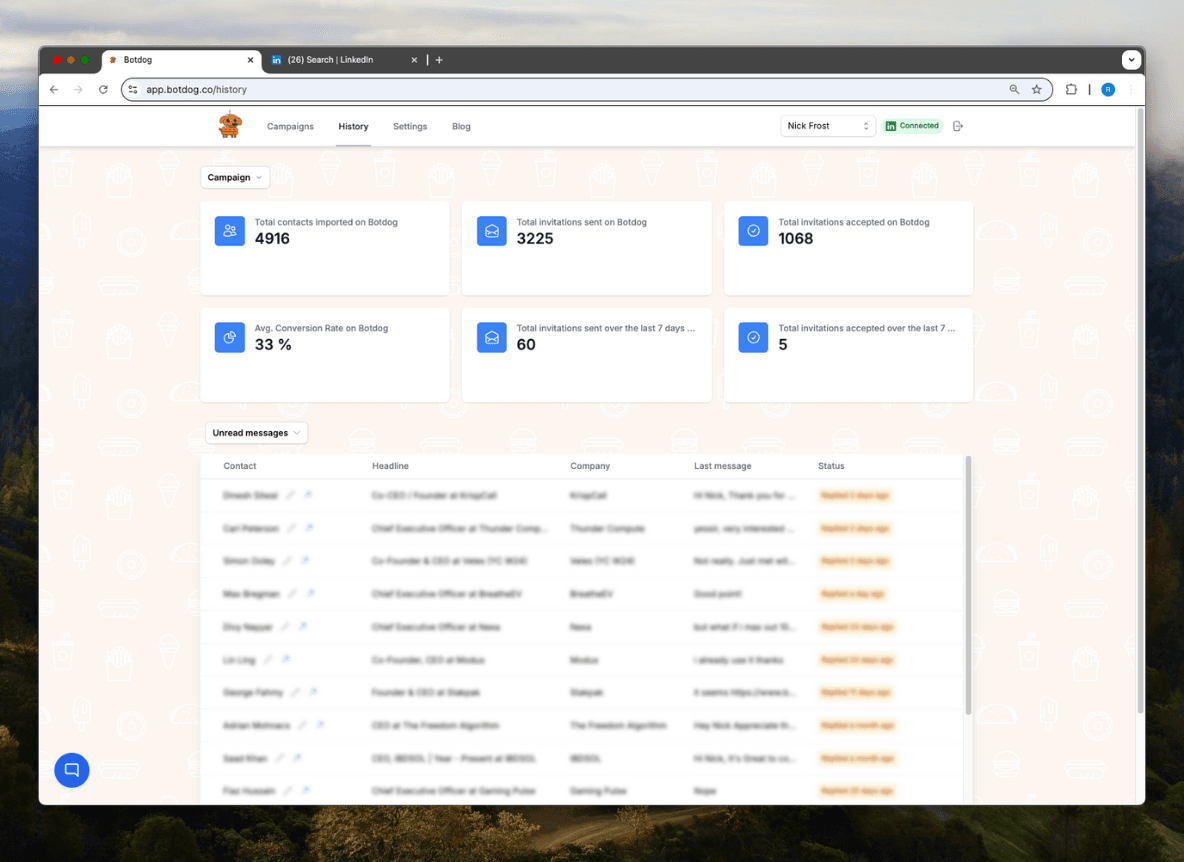
If you’re running multiple campaigns, Botdog’s reports make tracking easier. It centralizes your metrics and highlights trends, so you see which activities work and who really engages with your messages.
Start a free trial to test this feature.
Keep measuring. Over time, you’ll spot what actually strengthens your network and builds meaningful connections.
Conclusion About LinkedIn Connection Request Best Practices
You’ll build stronger LinkedIn relationships when you focus on quality, not just racking up numbers. Keep your requests short, personal, and relevant.
Always explain why you want to connect and what you can offer in return. This way, your network actually matters and helps you reach your goals, maybe even quicker than you expect.
LinkedIn keeps moving toward authentic engagement. The algorithm seems to notice when you’re real, so try to focus on conversations, not just cold messages. Jump into posts, share your thoughts, and stay active.
But managing consistent outreach and follow-ups can be time-consuming.
Botdog is a smart, compliance-friendly LinkedIn automation solution designed to help you scale your networking without losing the human touch.
With Botdog, you can schedule personalized connection messages, set follow-up reminders, and track engagement, all while staying safely within LinkedIn’s activity limits.
It’s built for professionals who want to grow faster and stay authentic.
If you’re ready to make your LinkedIn outreach fast, secure and affordable, start a free trial today. You’ll see how easy it is to automate responsibly, save hours each week, and still sound like you.