Setting up your first client is now one journey instead of three
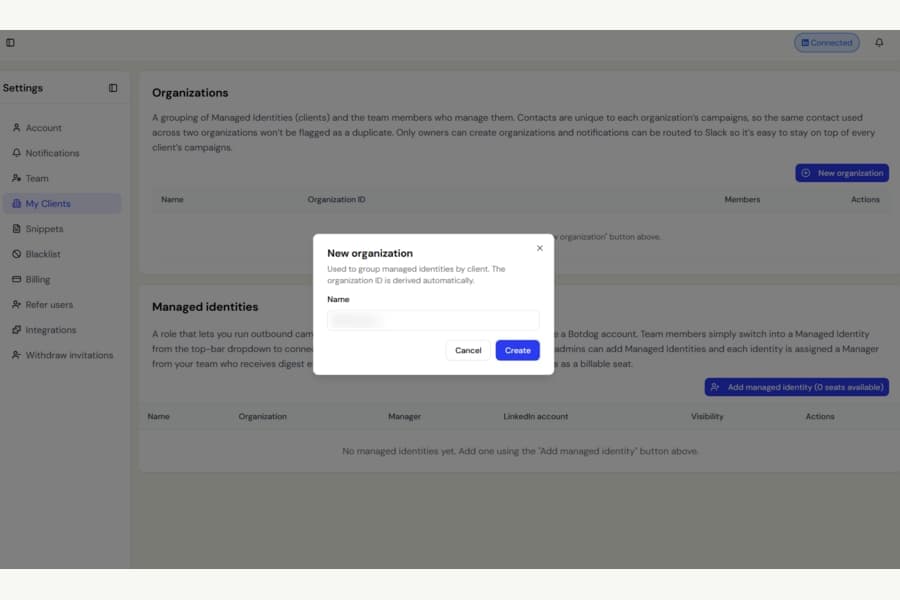
The Organizations page in Settings is now called My Clients, with a cleaner setup experience for anyone using it for the first time.
Clear explanations are now always visible
Previously, the explanations for organizations and managed identities were hidden behind small arrows next to each heading.
If you did not open them, you could land on the page and see two tables without much context.
Those explanations are now shown directly on the page, so it is easier to understand what each section is for.
Managed identities are easier to find
The Managed identities section used to stay hidden until you had created an organization.
Now it is visible from the moment you open My Clients, including the Add managed identity button.
Adding your first client is more straightforward
Previously, selecting Add managed identity before any setup had been completed would first send you to create an organization. After finishing that step, you were returned to the page and had to select Add managed identity again.
Now Botdog continues straight into adding the managed identity after the organization is created, and clearly tells you what will happen next.
Inside the form, you also choose the client organization first, instead of having to scroll past other fields before selecting it.
The result is a simpler first-time setup with fewer unnecessary steps.